
Isolate and enhance couples and wedding parties with intelligent adjustments. Key moments like first dances and ceremonies get the emphasis they deserve.
Photo Cloud Storage for Real Estate
Scale your real estate photography team. You’ll securely back up listings, keep brand consistency, and deliver galleries to agents by 9 AM.
Compatible with:
- No credit card required.





Every edit your listings need, handled automatically
Background Mask
Subject Mask
Straighten
Correct horizon alignment and tilted images automatically. Professional composition for team photos and sports action.
Smooth Skin
Apply natural retouching to thousands of portraits instantly. Gently reduces blemishes while maintaining authenticity.
Color Enhancement
Make sports photos and school portraits vibrant across varying lighting. Consistent results that boost online sales.
Sky Replacement
Turn overcast skies into clean, vibrant backgrounds so every exterior looks its best, regardless of shoot conditions.
Reviews from those who know best.
The term ‘game changer’ gets thrown out a lot, but for any busy photographer, this software will change your life.

Michael Antony
Michael Antony Photography, USA
My survival is due to Imagen… I would MARVEL at how little I had to adjust.

Charmi Patel Peña
Wedding Photographer, USA
Discovering Imagen has been like someone inventing toilet paper. Simply essential and now life is unthinkable without it. I now know that those years of editing backlogs are a thing of the past. I’m truly grateful.

Sarah Edmunds
Portrait & Wedding Photographer, Italy
Table your doubts and embrace a modern and efficient workflow enabled by AI. Imagen creates a stunningly consistent starting point across your entire collection of images, which allows you to immediately start on the more nuanced aspects of your edits

Sam Hurd
Sam Hurd Photography, USA
Fck me, Imagen has helped me so much with my editing process. Viva Imagen!

Fer Juaristi
Fer Juaristi Photography, Mexico
Thanks to Imagen, I can actually enjoy editing… I have recovered hundreds of hours back.

Daniel Alonso
People TrueLove Tellers, Spain
Imagen cuts editing time by up to 96%
Stop spending countless hours on repetitive editing tasks.
Focus on what matters most: your creativity and your clients.
96% Faster editing
Cut your post-production time dramatically with AI-powered automation.
Instant color correction
Apply consistent edits across hundreds of photos in seconds, not hours.
Automated culling
Let AI identify and remove blurry shots, duplicates, and closed eyes automatically.
Batch processing
Edit entire events shoots or portrait sessions while you focus on your next creative work.
Next-morning delivery
Deliver galleries by 9 AM
Upload your HDR brackets, twilight shots, and interiors to our photo cloud storage before bed. Imagen edits them in minutes, so you’re ready to deliver final galleries by 9 AM.


Brand consistency
Match styles across your team
Scale your real estate photography team without losing your look. Your Personal AI Profile learns your editing style and applies it to every property, even when you don’t shoot the photos.
Imagen’s AI Editing and Retouching Tools
AI detects subjects and composition to crop and straighten your photos automatically. Review and adjust every result.
...Automatically combine 3–9 bracketed exposures into one perfectly balanced photo using an AI HDR photo merge tool that handles indoor...
Smooth Skin detects skin in each photo and improves tones automatically, so every portrait looks polished without manual retouching.
...Object Removal automatically detects and removes exit signs, fire alarms, fire extinguishers, and fire stickers from your photos — across...
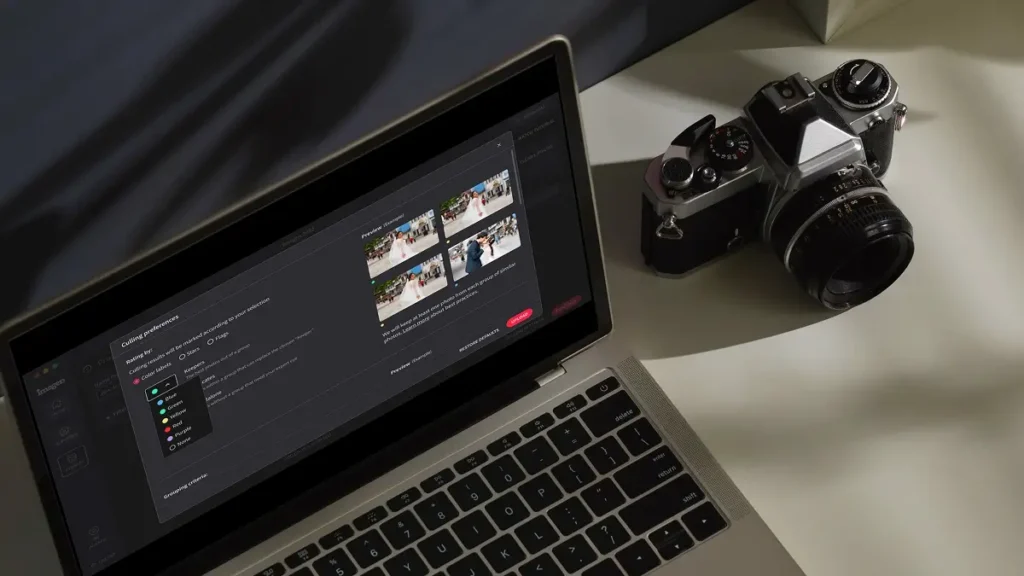
Edit thousands of photos in your style automatically. Imagen’s AI learns your editing preferences and applies them consistently across entire...
Whiten Teeth detects and brightens teeth in each photo automatically, so every smile looks its best without manual retouching.
...Automatically fix distorted lines and tilted horizons using an AI image perspective correction tool that analyzes each photo, with full...
Automatically crop hundreds of portrait photos to a consistent frame using an AI portrait crop tool that detects each subject...
Automatically crop headshots with an AI headshot photo cropper that detects every subject and frames each shot consistently, with full...
Automatically mask the background in every photo and adjust exposure, color, and texture independently — with full control to review...
Automatically remove grain and noise from your photos using an AI-powered tool that preserves detail, texture, and your natural editing...
Automatically extract subjects from any photo using an AI-powered background remover that keeps edges clean, detail sharp, and every result...
Balance bright windows with indoor subjects using an AI-powered tool that detects overexposed areas and pulls back highlights, with full...
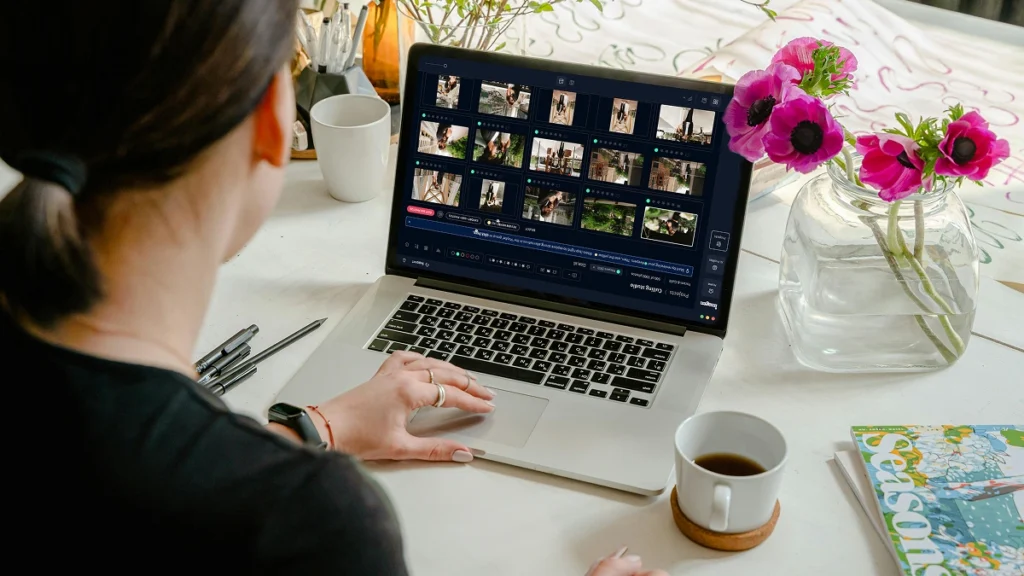
Export final JPEGs straight from Imagen to Pic-Time galleries or your local folder. Complete your entire workflow from camera to...
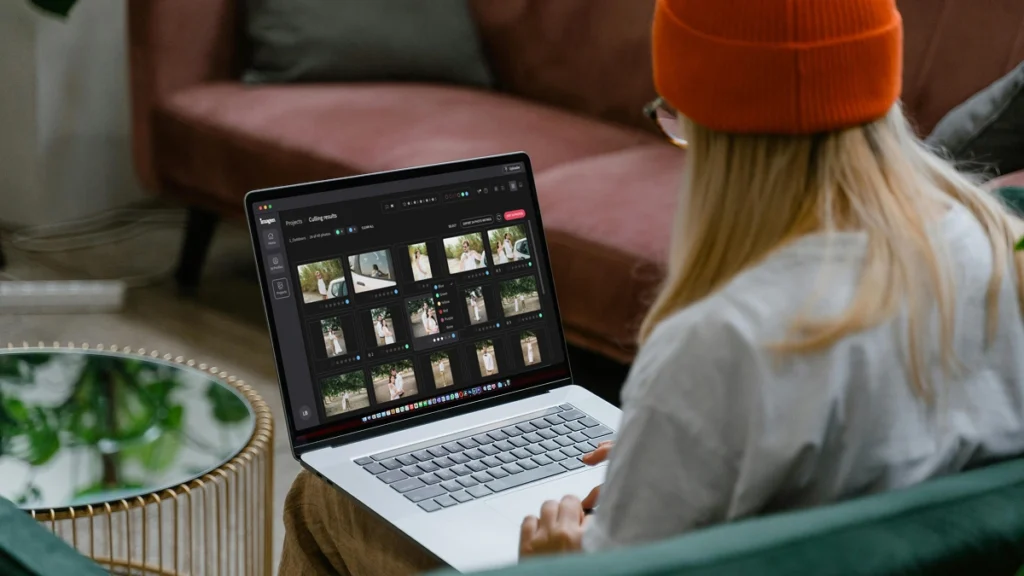
Imagen’s AI culling groups similar shots and keeps only the best. Duplicate Removal happens automatically, so you review fewer photos...

Imagen’s AI analyzes every face in your photos and detects closed eyes automatically. Blink Detection flags the issue so you...
Imagen’s AI Subject Masking detects the main subject in every photo and applies targeted edits to make them pop. No...
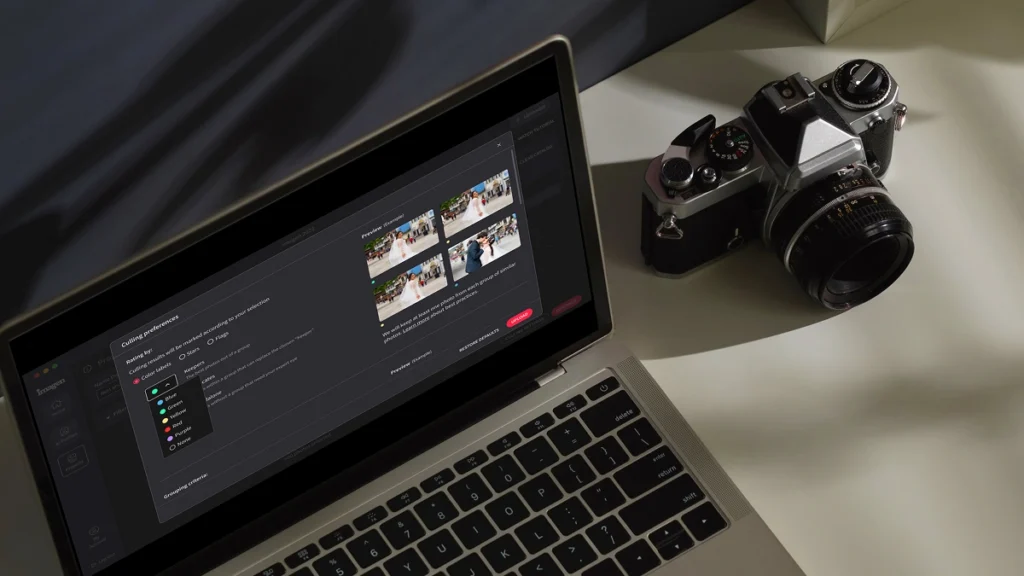
Automatically detect the sharpest photos in every set using an AI-powered Sharpness Check that analyzes focus accuracy — so you...
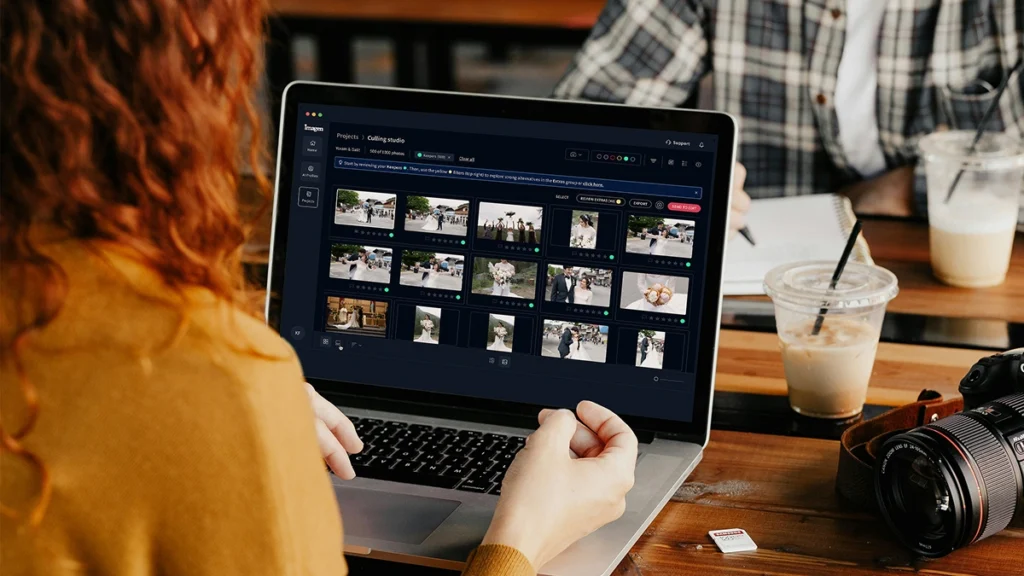
Automatically back up your original RAW files to secure cloud storage as you work — so your client photos are...

Store full-resolution photos at up to 75% smaller file size — so your photo storage goes 4x further, uploads faster,...
The Imagen API lets developers connect Imagen’s AI editing engine directly to any app, platform, or workflow — so your...
Scalable plans to enhance your workflow
Get started with 1,000 free edits. Edit your projects faster without sacrificing quality.
Pay-as-you-go
Pay only for what you need
Starting at
/ photo
/monthly base fee
Rolls over as editing credit
- Monthly charge based on use
- Cancel anytime
- Composition, masking, and more with AI tools. Charge per photo.
Limitless
One simple price for unlimited use
Billed annually
US$179
/ month
Yearly
Save /year
- For photographers who shoot their own work
- All editing, retouching, and AI tools included
- AI culling included
Not sure which plan? Start with Pay-as-you-go and switch later.
For Business
Speed, consistency, and scale for high-volume businesses and studios
Talk to us
Custom plan
- Discounted editing rate
- API automated workflow
- Multi computer access
- Dedicated success manager
- 24/7 priority support
Early Bird Discount
Only pay for photos you edit
No contracts, cancel anytime.
30% off first month
Pay-as-you-go
No commitment, pay for what you need.
/ photo
First month 30% off, then /photo. Applied at checkout. cancel anytime.
What you get
- Full AI editing suite for property images
- One-click AI fixes
- 3 human revisions per listing
- Up to 6K resolution output
- RAW and JPEG support
- Privacy blur for faces and license plates, property lines, branded watermark
* Prices in USD. Billed at the end of each month for that month’s edited photos.
For Teams
For teams processing 25,000+ photos/year
Custom
Volume pricing for real estate teams and high-output agencies.
What you get
Everything in the Pay-as-you-go plan plus:
- Volume discounts
- Dedicated account manager
- Priority processing
* Tailored to your workflow. Tell us your volume and we’ll build a quote.
Expert Support for Photographers 24/7
Ask us anything, connect with our customer success team.
We go beyond troubleshooting – we’re your partners in optimizing workflows and realizing your creative vision.
- No credit card required.
96%
Faster editing time
90%
Saving on editing costs
24h
Typical turnaround
Frequently asked questions
What is a fallback and how does it protect my real estate workflow?
A fallback is your ultimate safety net when editing high volumes of property photos. When you run a batch of images through Imagen, you want 100% consistency across the entire gallery. Sometimes a specific lighting situation in a listing throws off your primary Personal AI Profile. That's where a fallback profile steps in. You set a secondary AI Profile to automatically take over if the first one encounters an unusual file. This guarantees your real estate edits remain consistent without manual intervention. Beyond editing, a fallback also applies to your file security. By using secure photo cloud storage as your backup fallback, you never lose an original raw file or a final edit. You keep total control over the final gallery while our system works in the background. If a hard drive fails right before a major listing goes live, your fallback photo cloud storage saves the day. You deliver the property photos on time, keeping your clients happy and your team moving fast. We built this fallback system so you edit faster and sleep better at night.
How does a fallback profile handle mixed lighting in a property gallery?
A fallback profile automatically steps in when the primary AI Profile encounters extreme mixed lighting in a property. Real estate photographers constantly deal with dark interiors and bright window pulls. You might use HDR Merge for most of the gallery, but a few single exposures need different treatment. When you set up a fallback, Imagen detects if the main profile struggles with the exposure values and instantly applies your chosen secondary AI Profile. This gives you perfect consistency across the entire listing without stopping the batch process. You spend zero time sorting files before uploading them. Your team scales faster because the software makes the technical adjustments for you. You remain in the driver's seat by choosing exactly which profiles act as the primary and the fallback. Once the edits finish, everything syncs back to your local drive and your photo cloud storage. This means your final real estate gallery looks cohesive from the front exterior to the basement. You slash your editing time by hours while sending back a flawless property gallery to the agent every single time.
Why do I need photo cloud storage as a fallback for my listing files?
You need photo cloud storage as a fallback because local hard drives eventually fail and real estate agents demand fast turnarounds. When you shoot a massive luxury property, losing those files costs you time, money, and your reputation. Using reliable photo cloud storage gives you an automatic fallback if your computer crashes or a drive corrupts. Imagen integrates smoothly with your workflow so your original raw files and final edits stay secure. You never have to explain a lost gallery to a listing agent. Having a secure storage fallback means you can access your property photos from any device, anywhere. If an agent needs a high-resolution file sent from your phone while you're on location, you just grab it from the cloud. This setup guarantees consistency in your delivery speed. Your team can scale up to handle 100 listings a week knowing every file has a safe, accessible backup. You keep your real estate business moving forward with zero downtime and total peace of mind.
Does the fallback process slow down my turnaround time for real estate agents?
The fallback process actually speeds up your turnaround time by eliminating manual sorting and emergency re-edits. When you edit a real estate gallery, you want the software to handle the heavy lifting. If an image requires a different editing approach, the fallback AI Profile applies instantly during the initial batch run. You don't have to pause, find the problematic property photo, and apply a new preset manually. Imagen processes the entire listing at lightning speed, seamlessly switching to the fallback when necessary. This level of automation helps you deliver a massive gallery in minutes instead of hours. You maintain perfect consistency across the entire batch. plus, having your files backed up to photo cloud storage happens quietly in the background. You never waste time waiting for progress bars to finish before moving on to the next property. You can shoot 5 houses in a day and have them all edited and safely stored by dinner. You stay entirely in control of the final look while we handle the repetitive tasks.
How is using an AI fallback different from applying a standard preset in Lightroom?
Using an AI fallback adapts to the specific lighting of each property photo, whereas a standard preset applies the exact same values blindly. When you use a basic preset on a real estate gallery, you inevitably spend hours tweaking sliders to fix exposure and white balance issues. A fallback AI Profile analyzes the unique characteristics of the listing image. If the primary profile determines the lighting is too far outside its normal parameters, the fallback takes over and makes intelligent adjustments based on the actual pixels. This keeps total consistency from the bright exterior shots to the dim interior bathrooms. You get a fully customized edit for every single frame. Once the edits are complete, you can easily back up the finished gallery to your photo cloud storage. You no longer waste time fixing bad preset applications. You slash your culling and editing time by 80%, allowing you to take on more real estate clients. You simply review the final gallery, make any minor artistic tweaks, and deliver the property photos fast.
Can I choose my own Personal AI Profile as a fallback for property edits?
You can absolutely choose your own Personal AI Profile as a fallback to maintain your signature style across every real estate gallery. We know how important brand consistency is for your listing agents. When you set up your workflow in Imagen, you select your primary profile and your fallback profile. Many photographers use a highly specific Personal AI Profile for their main interior shots and assign a slightly more generalized Personal AI Profile as the fallback for tricky lighting situations. This guarantees the entire property looks cohesive and distinctly yours. You dictate exactly how the software handles the batch. If a file triggers the fallback, it still gets edited with your custom look. After the process finishes, you can safely archive the completed listing in your photo cloud storage. You never have to compromise your artistic vision just to get photos out the door quickly. You retain complete creative control while relying on the fallback system to handle the technical heavy lifting. This helps your real estate business grow without sacrificing quality.
What happens to my original raw files when a fallback profile is applied?
Your original raw files remain completely untouched and secure when a fallback profile is applied. Imagen uses non-destructive editing, meaning we only generate metadata adjustments that sync back to your Lightroom catalog. The actual property photo is never altered or degraded. When the system detects a need for a fallback, it simply calculates a different set of slider adjustments for that specific image. You maintain total consistency across the real estate gallery without risking your original data. For added security, we always recommend keeping your raw files backed up in reliable photo cloud storage. This acts as your ultimate file fallback. If you ever want to revert an edit or try a different AI Profile on a listing, your original files are right where you left them. You stay in control of the final output. You can confidently process 1,000 photos a day knowing your underlying data is perfectly safe. The fallback system only changes the edit instructions, leaving your actual real estate files pristine and ready for final review.
Does the fallback feature work with HDR Merge for complex listing photos?
The fallback feature works perfectly alongside HDR Merge to handle your most complex listing photos. Real estate photographers rely on HDR Merge to blend several exposures for crisp window pulls and balanced interiors. Sometimes, a blended property image requires a slightly different editing touch than a standard single exposure. You can set your workflow so that if the primary AI Profile doesn't fit the newly merged file perfectly, the fallback profile instantly takes over. This keeps your final gallery maintains absolute consistency in color and tone. You don't have to separate your bracketed shots from your single exposures before uploading. Imagen processes the HDR Merge and applies the correct primary or fallback edits in one smooth batch. Once everything is merged and edited, you can send the high-resolution files straight to your photo cloud storage. You save hours of manual sorting and blending. You deliver a stunning real estate gallery to your client faster than ever, proving your team can handle any lighting situation with ease.
How does a file storage fallback protect my growing real estate media team?
A file storage fallback protects your growing real estate media team by keeping everyone has access to the assets they need at all times. When you have multiple photographers shooting 20 properties a day, managing files becomes a massive logistical challenge. If a local server goes down, your entire editing workflow stops. Implementing secure photo cloud storage as your primary file fallback eliminates this bottleneck entirely. Every listing automatically backs up to the cloud, creating a centralized hub for your team. If an editor needs to pull up a gallery from last month, they just access the fallback storage. This guarantees consistency in your delivery schedule because no one is waiting on a physical hard drive to be handed over. You can scale your operations confidently, knowing your property photos are safe from hardware failure. Imagen fits right into this scalable workflow, allowing your team to edit files directly from your synced folders. You keep your real estate business running smoothly while protecting your most valuable digital assets.
Will I know which property photos used the fallback profile in my gallery?
You'll always know exactly which property photos used the fallback profile because we believe you must stay in control of your edits. When Imagen finishes processing a real estate gallery, you can easily review the results in your Lightroom catalog. The metadata clearly indicates which AI Profile was applied to each individual image. This transparency allows you to see exactly how the fallback stepped in to save a tricky listing photo. You can review these files to ensure they match the consistency of the rest of the gallery. If you want to make a quick adjustment, you just tweak the sliders. The fallback is simply a tool to get you 95% of the way there automatically. Once you approve the final edits, you can export the JPEGs and upload them to your photo cloud storage for client delivery. You never have to guess what the software did behind the scenes. You confidently deliver stunning real estate photos while letting the fallback system handle the tedious manual corrections.
Save hours on your next project
Start your free trial today – no commitment required
