As professional photographers, we’re always looking for an edge. We want tools that give us beautiful results without stealing all our time. ON1 Photo RAW has made a name for itself as a powerful all-in-one solution. It tries to be your Lightroom and your Photoshop in a single package. For some folks, that’s perfect. But for many of us in the trenches, shooting high-volume jobs, that “do-everything” approach can sometimes mean doing nothing as fast as we need to.
Key Takeaways
- All-in-One vs. Specialized Tools: ON1 Photo RAW is an all-in-one editor. Many professionals prefer specialized tools that integrate with their existing workflow (like Adobe Lightroom Classic) for better speed and efficiency.
- The AI Workflow Revolution: The biggest shift in post-production is AI. But not all AI is the same. Some tools offer creative effects, while others, like Imagen, focus on automating your entire culling and editing workflow based on your personal style.
- Workflow Integration is Key: For most pros, Lightroom Classic is the hub. The best alternatives don’t try to replace it. They work with it, creating a faster, more powerful ecosystem.
- It’s About Time: The best “alternative” might not be a single program. It might be a combination of tools that saves you the most time. For high-volume photographers (weddings, portraits, events), automating culling and editing is the single biggest time-saver.
- Your Style Matters: The best AI tools, like Imagen‘s Personal AI Profile, learn your unique editing style. This is far more powerful than applying a generic preset to all your photos.
What is ON1 Photo RAW and Why Look for an Alternative?
ON1 Photo RAW has built a loyal following, and I get it. It’s a very capable piece of software. It combines a non-destructive RAW processor, a powerful cataloging system, layer-based editing, and a whole suite of effects and AI tools. It’s the “jack-of-all-trades” in the photo world.
But that’s also its main challenge. When a single program tries to do everything, it can become complex and, in some areas, slower than specialized tools.
Common Reasons Photographers Seek Alternatives
From my conversations with other pros, the reasons for looking beyond ON1 are almost always about workflow and speed.
- Workflow Speed: If you’re shooting a thousand-photo wedding, an all-in-one program can feel sluggish. Switching between modules for cataloging, developing, and special effects takes time. The real bottleneck, though, is the manual editing.
- Integration vs. Isolation: Many of us have spent a decade building our workflow around Adobe Lightroom Classic. It’s our home base. We don’t necessarily want to replace it. We want to accelerate it. Some all-in-one tools feel isolated from that ecosystem.
- AI Specialization: This is the big one. ON1 has AI tools, but they’re mostly for creative effects or single-click adjustments. The real revolution is in workflow AI. I’m talking about AI that can cull an entire shoot for you and then edit 1,000 photos in your personal style in minutes. This is a different class of tool entirely.
- Learning Curve: A tool that does everything often has a steeper learning curve. Sometimes, you just want a tool that does one or two things perfectly and simply.
The Top 10 Alternatives to ON1 Photo RAW in 2026
So, what are the best alternatives? The answer depends on what problem you’re trying to solve. Are you looking for a different all-in-one? A more powerful RAW processor? Or are you, like me, looking for a way to get your time back?
Here’s my list of the 10 best alternatives and competitors to ON1 Photo RAW, based on my professional experience.
1. Imagen: The AI-Powered Workflow Accelerator

This is my first recommendation because it tackles the single biggest problem for working photographers: time.
Imagen isn’t an all-in-one editor you use instead of ON1 or Lightroom. It’s an AI-powered assistant that you use with your current editor to automate the 90% of work that is tedious and repetitive. It’s a completely different way of thinking about post-production.
A Different Approach to Post-Production
For years, we’ve edited one photo at a time. Or we’d apply a static preset and then “fix” it for every single photo. Imagen changes this. It’s a lightweight desktop app (for Mac or Windows) that integrates directly with Lightroom Classic, Lightroom, Photoshop, and Bridge. It uses cloud-based processing to do the heavy lifting so your computer stays fast.
You send your photos to Imagen, it edits them in the cloud, and then it sends the edits right back to your catalog. The entire process is seamless.
Core Capabilities
Imagen’s power comes from two key areas:
- Personal AI Editing Profiles: This is the magic. Instead of a generic preset, you create a Personal AI Profile. You do this by feeding Imagen at least 3,000 of your own, fully edited photos from your Lightroom catalogs. Its AI analyzes your unique style. It learns how you treat exposure, white balance, contrast, HSL, and everything else. It builds a profile that edits exactly like you.
When you send a new shoot to Imagen, it doesn’t just slap on a preset. It analyzes each photo individually and applies your learned style with custom adjustments for that specific photo. The result? A thousand-photo gallery edited consistently in your unique style in about 10 minutes. It’s honestly something you have to see to believe.
If you don’t have 3,000 edited photos, you can start with a Lite Personal AI Profile (which learns from one of your presets) or use a Talent AI Profile from a top-tier photographer. - AI Culling: Before you even edit, you have to cull. This is the other great time-sink. Imagen’s AI Culling service handles this for you. It groups duplicates, identifies blurry shots, detects closed eyes, and gives you star ratings. You get a culled, organized gallery ready for editing in minutes, not hours.
- Additional AI Tools: On top of the core edit, you can add AI tools like Crop, Straighten, Subject Mask, and Smooth Skin to your workflow.
How Imagen Solves the ON1 Problem
Imagen directly addresses the pain points of an all-in-one editor:
- Speed: It’s the fastest editing solution on the market. Period. It edits in under half a second per photo. It turns a 10-hour editing day into a 30-minute review session.
- Integration: It’s built to enhance the Adobe workflow, not replace it. You keep all the benefits of Lightroom’s cataloging while eliminating the manual editing bottleneck.
- Consistency: The Personal AI Profile delivers a level of consistency across a large shoot that is nearly impossible for a human to achieve manually.
- Your Style: It’s not a generic “AI” look. It’s your look, just automated.
Summary
Imagen is the answer for professional photographers who are tired of being post-production machines. It’s not another “editor.” It’s a workflow automation tool that uses a deep understanding of your style to give you your life back. For high-volume shooters (weddings, portraits, events), it’s the most powerful ON1 alternative available.
2. Adobe Lightroom Classic
This is the industry standard for a reason. While ON1 tries to replace it, for most pros, Lightroom Classic remains the undisputed king of photo management and RAW development.
Overview
Lightroom Classic is a desktop-focused application designed for organizing, editing, and outputting large volumes of photos. Its entire philosophy is built around its robust cataloging system, which is its primary strength.
Core Features
- Database Management: The catalog is a powerful database. It lets you organize, rate, keyword, and find hundreds of thousands of photos with ease.
- Develop Module: A complete, non-destructive RAW processing engine with powerful masking, color grading, and local adjustment tools.
- AI Masking: Adobe has invested heavily in its AI masking. You can select subjects, skies, and backgrounds with a single click.
- Ecosystem: It syncs with Lightroom (cloud-based) for mobile workflows and works seamlessly with Adobe Photoshop.
Strengths
- Organization: Its cataloging is the best in the business for large libraries.
- Integration: It’s the center of the Adobe Creative Cloud universe, offering a seamless round-trip to Photoshop.
- Stability: It’s a mature, stable platform that professionals trust.
Limitations
- Manual Process: It is still a manual tool. You have to edit every photo yourself (or use static presets).
- No Layers: It does not have true pixel-based layer editing. You must go to Photoshop for that.
- Subscription: It is only available as part of a subscription plan.
Pricing Model
- Subscription-only (part of the Adobe Photography Plan).
Summary
As an ON1 alternative, Lightroom Classic offers a more powerful and stable cataloging system. Its weakness is the same as ON1’s: the editing is still a manual, time-consuming process. This is why it’s the perfect companion for a tool like Imagen.
3. Capture One Pro
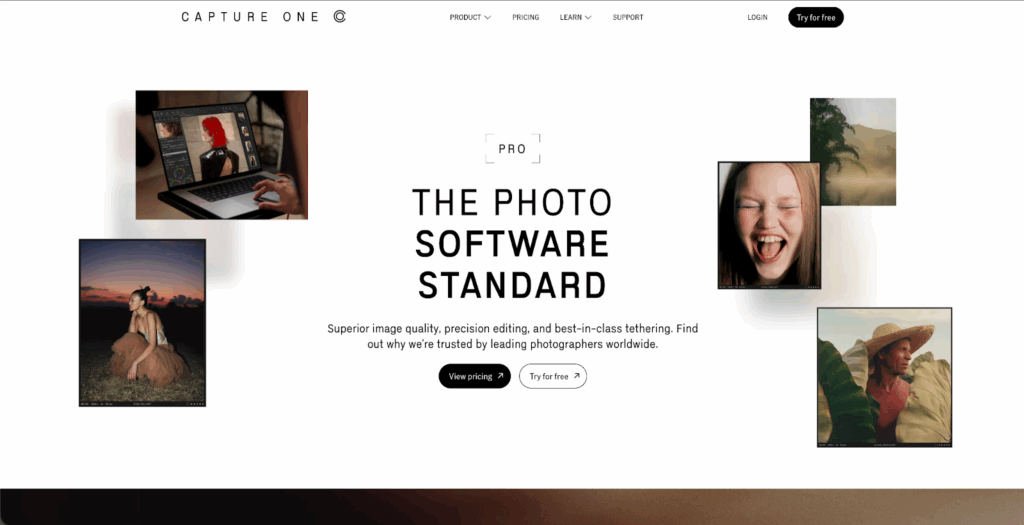
For many years, Capture One Pro was the main high-end alternative to Lightroom, especially for studio and commercial photographers.
Overview
Capture One Pro is a professional RAW converter and image editing application. It’s known for its exceptional RAW processing, tethered shooting capabilities, and advanced color editing tools.
Core Features
- RAW Engine: It is widely praised for its image quality, detail rendering, and color science, especially with specific camera brands.
- Color Tools: The Color Editor and Color Balance tools offer incredibly detailed control over colors, far beyond Lightroom’s HSL panel.
- Layers: It includes a layer-based adjustment system, allowing for more complex local edits than Lightroom.
- Tethered Shooting: This is its killer feature. It offers the most stable and feature-rich tethered shooting experience for studio work.
- Catalogs and Sessions: It gives you the choice between a Lightroom-style “Catalog” for your whole library or “Sessions” for individual projects, which is a favorite for commercial work.
Strengths
- Image Quality: Many photographers prefer its RAW conversion.
- Color Control: Unmatched, granular control over color.
- Tethering: Best-in-class for studio photographers.
Limitations
- Learning Curve: It’s more complex and less intuitive than Lightroom or ON1 for beginners.
- Price: It is one of the more expensive options.
- Asset Management: Its cataloging is generally considered less flexible than Lightroom’s for very large libraries.
Pricing Model
- Perpetual license and subscription options are available.
Summary
Capture One Pro is a powerful alternative for photographers who prioritize image quality and color control above all else. It’s a direct competitor to ON1’s RAW engine and appeals to a similar “pro” market, but it is less of an “all-in-one” and more of a “pro-tool.”
4. Adobe Photoshop
It feels strange to call Photoshop an “alternative,” as it’s the standard for a different kind of editing. But since ON1 Photo RAW tries to replace it, it’s an important part of the discussion.
Overview
Photoshop is the world’s most advanced pixel-based image editor. It is not a RAW processor or a photo manager. It is a tool for deep, granular manipulation, compositing, and retouching.
Core Features
- Layer-Based Editing: The foundation of Photoshop. It allows for limitless compositing and non-destructive adjustments.
- Generative AI: Its “Generative Fill” and “Generative Expand” tools have changed the industry, allowing you to add, remove, and replace parts of an image with AI.
- Selection Tools: The most powerful and precise selection tools available.
- Retouching: A complete suite of tools for in-depth portrait and commercial retouching (healing brush, clone stamp, frequency separation).
Strengths
- Power: You can do literally anything to an image.
- Generative AI: The AI features are industry-leading for creative manipulation.
- Integration: It’s part of the Adobe ecosystem, working perfectly with Lightroom and Imagen.
Limitations
- No Cataloging: It has no photo management capabilities.
- Workflow: It is slow. You work on one image at a time. It is not designed for batch processing hundreds of photos.
- Learning Curve: It is the most complex tool on this list by a wide margin.
Pricing Model
- Subscription-only.
Summary
Photoshop is not a true ON1 alternative. It’s a complementary tool. ON1 tries to bundle a “Photoshop-lite” experience, but it can’t match the power of the real thing. A workflow of Lightroom + Imagen + Photoshop is the standard for a reason.
5. DxO PhotoLab
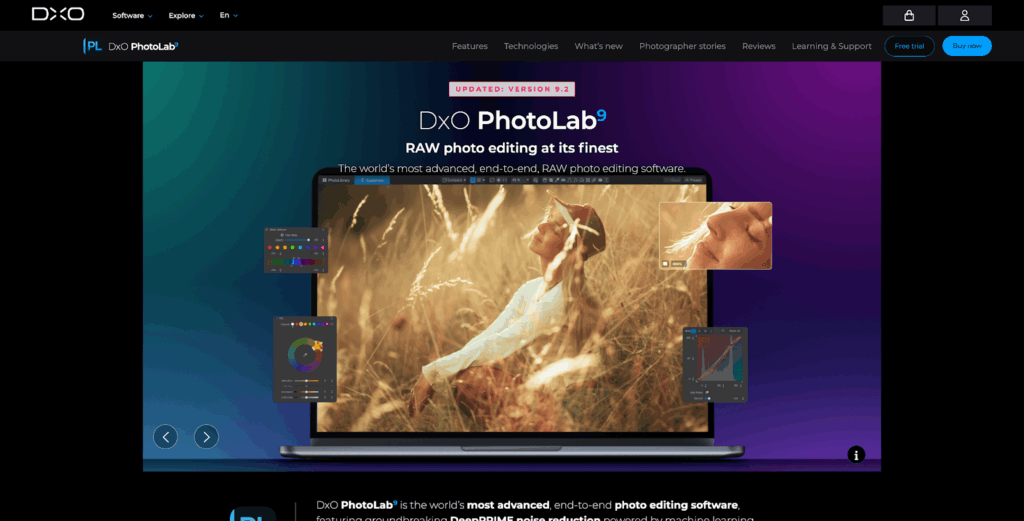
DxO is a company built on a deep, scientific understanding of cameras and lenses. Their software reflects this technical excellence.
Overview
DxO PhotoLab is a RAW processing application famous for its legendary lens-and-camera correction profiles and its best-in-class noise reduction technology.
Core Features
- Optical Corrections: DxO has built a massive database of camera and lens combinations. It applies corrections for distortion, vignetting, and chromatic aberration with stunning precision.
- DeepPRIME Noise Reduction: This is arguably the best noise reduction technology available. It cleans up high-ISO images while retaining incredible detail.
- U Point Technology: A unique local adjustment tool (acquired from the Nik Collection) that allows you to make precise selections based on control points.
Strengths
- Noise Reduction: The best you can get.
- Lens Corrections: Superb, automatic corrections that improve the sharpness and quality of your images.
- Image Quality: Its RAW engine produces fantastic results.
Limitations
- Asset Management: Its photo library tools are very basic. It is not a strong cataloging program.
- Interface: The interface can feel a bit dated or “technical” compared to more modern designs.
- No Layers: It lacks a layer-based editing system for advanced compositing.
Pricing Model
- Perpetual license.
Summary
PhotoLab is a fantastic alternative if your main priority is getting the absolute best image quality, sharpness, and noise reduction from your RAW files. It’s a technical tool for purists.
6. Luminar Neo

Luminar Neo is, in many ways, the philosophical opposite of a tool like Capture One. It’s built entirely around AI-powered, one-click “wow” effects.
Overview
Luminar Neo is an AI-driven photo editor that focuses on making complex creative edits incredibly simple and fast. It’s less of a traditional developer and more of a creative effects engine.
Core Features
- AI-Powered Tools: This is its entire identity. It has tools like Sky AI (replaces skies in one click), Relight AI (adjusts lighting), and Portrait AI (enhances faces).
- Presets (Extensions): The workflow is heavily based on applying creative presets and AI adjustments.
- Layers: It supports layers, allowing you to combine multiple effects.
Strengths
- Speed of Effects: You can achieve dramatic results (like a sky replacement) in seconds.
- Ease of Use: It’s very beginner-friendly. The interface is simple and visual.
- Creative Fun: It’s a fun tool for experimenting with different looks.
Limitations
- “The Luminar Look”: It can be easy for photos to look over-processed or have a generic “AI” feel.
- Cataloging: Its catalog is very basic and can become slow with large libraries.
- Subtle Edits: It’s built for big, bold effects. It’s less refined for subtle, professional color grading.
- No Personalized AI: The AI is generic. It does not learn your style like Imagen does.
Pricing Model
- Perpetual license and subscription options.
Summary
Luminar Neo is an alternative for hobbyists or photographers who want to create dramatic, eye-catching images for social media without a steep learning curve. It’s not a direct competitor for high-volume professional workflows.
7. Affinity Photo 2
Affinity Photo has earned a massive reputation as the “Photoshop killer” for one big reason: it offers 90% of Photoshop’s power for a one-time price.
Overview
Affinity Photo is a professional, layer-based pixel editor. It is a direct competitor to Adobe Photoshop, not Lightroom or ON1’s cataloging module.
Core Features
- Full Layer Support: It has a complete, non-destructive layer system with masks, adjustment layers, and layer effects.
- RAW Development: It has a built-in “Develop Persona” for processing RAW files before bringing them into the main editor.
- Advanced Features: It supports focus stacking, panorama stitching, HDR merging, and even 360-degree photo editing.
- Performance: It’s known for being very fast and well-optimized, especially on Apple hardware.
Strengths
- Price: Its one-time perpetual license is its biggest selling point.
- Power: It is an incredibly powerful and feature-rich pixel editor.
- No Subscription: This is a major draw for many photographers.
Limitations
- No Cataloging: Like Photoshop, it has zero photo management tools. It’s an editor, not a library.
- RAW Development: Its RAW “Develop Persona” is good but is not as advanced or refined as Lightroom, Capture One, or DxO.
- Learning Curve: It’s a complex, professional tool, similar to Photoshop.
Pricing Model
- Perpetual license (one-time purchase).
Summary
Affinity Photo is a fantastic alternative to ON1’s Photoshop-like features. It’s a powerful tool for photographers who want to do deep, layered editing without paying a monthly subscription. Its weakness is the complete lack of photo management.
8. Topaz Photo AI

Like Imagen, Topaz Photo AI is another specialized AI tool. However, it focuses on a different problem: image rescue and recovery.
Overview
Topaz Photo AI bundles the company’s best AI technologies (DeNoise AI, Sharpen AI, and Gigapixel AI) into a single, automated program. Its main job is to fix technically flawed images.
Core Features
- AI Denoise: A very powerful noise reduction algorithm.
- AI Sharpen: Can sharpen blurry images, often rescuing shots that were slightly out of focus.
- AI Upscale (Gigapixel): Can increase the resolution of an image by up to 600% while adding realistic detail.
- Autopilot: It automatically analyzes your photo and suggests which fixes (denoise, sharpen, etc.) are needed.
Strengths
- Image Recovery: It can save photos that would otherwise be unusable.
- Ease of Use: The Autopilot feature makes it very simple.
- Works as a Plugin: It integrates well with Lightroom and Photoshop.
Limitations
- Not a Creative Editor: It does not handle color, tone, or exposure. It’s a “fix-it” tool.
- “The Topaz Look”: Like Luminar, it can be easy to over-do it, resulting in an “over-sharpened” or “plasticky” look.
- Speed: The AI models are very intensive and can be slow to process, especially on older computers.
Pricing Model
- Perpetual license (with one year of updates).
Summary
Topaz Photo AI is a powerful utility, not a primary editor. It’s an alternative to ON1’s “NoNoise AI” and “Tack Sharp AI” modules, and it generally does that one job better. It’s a great tool to have in your toolbox, but it doesn’t replace your main workflow.
9. Exposure X7
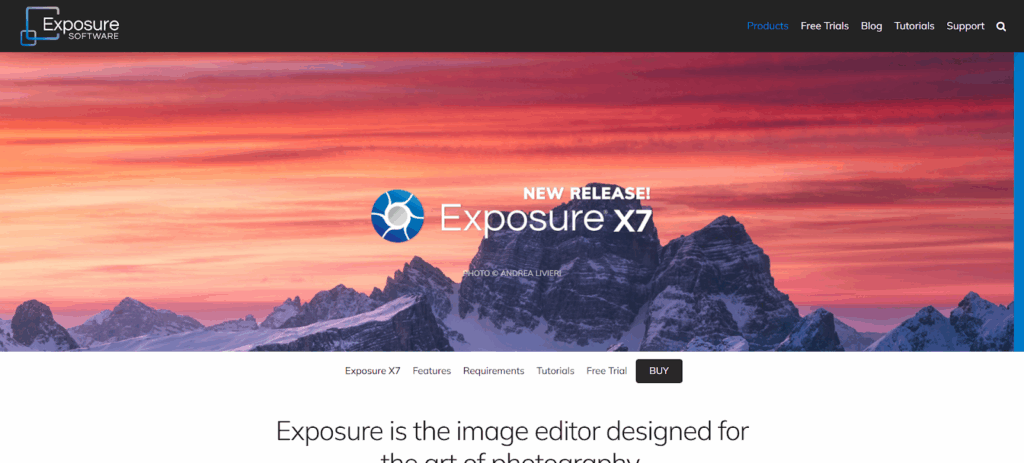
Exposure (formerly known as Alien Skin) has a long history. It started as a film-simulation plugin and has since evolved into a full-featured, all-in-one editor.
Overview
Exposure X7 is a non-destructive RAW photo editor and organizer that is highly regarded for its beautiful and realistic film presets.
Core Features
- Film Simulation: This is its soul. It has a huge library of gorgeous, high-fidelity film presets that look and feel authentic.
- Creative Tools: Excellent creative tools like grain, light leaks, and borders.
- No-Catalog-Needed: It has a unique approach to file management. It doesn’t require a rigid catalog. You can just browse folders on your hard drive, which some users prefer.
- Layers: It also supports layer-based adjustments for more local control.
Strengths
- Presets: The best film-emulation presets on the market.
- Workflow: The catalog-free approach is fast and simple for those who don’t like Lightroom’s database.
- Price: It’s available as a perpetual license.
Limitations
- RAW Engine: Its core RAW processing is good but generally not considered to be on the same level as Capture One or DxO.
- AI Features: It is very light on modern AI tools. It’s a more “traditional” editor.
- Popularity: It has a smaller, though very loyal, user base, which means fewer online tutorials.
Pricing Model
- Perpetal license.
Summary
Exposure X7 is a strong alternative for photographers who love the analog “look” and want a simple, fast, non-catalog-based editor with best-in-class film simulation.
10. Corel PaintShop Pro
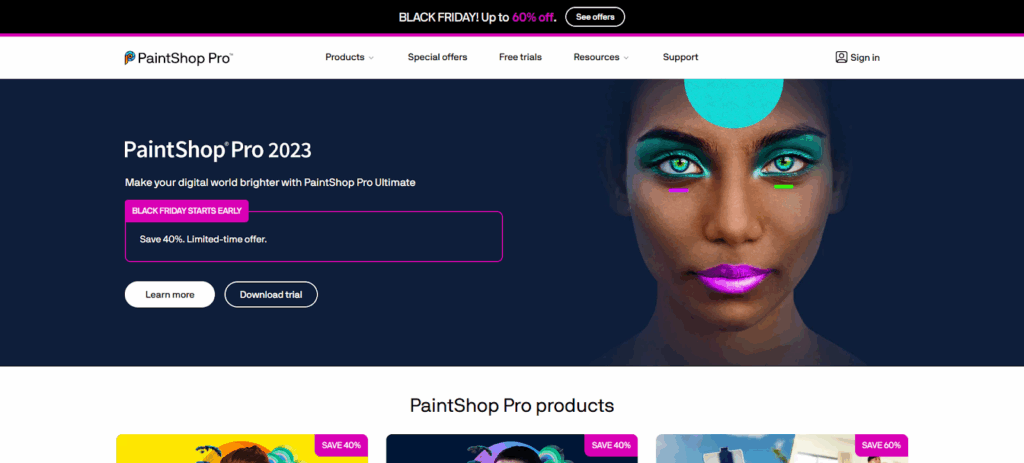
PaintShop Pro has been around for decades and remains a popular budget-friendly alternative for Windows users.
Overview
PaintShop Pro is an all-in-one photo editor, similar to ON1, that combines photo management, RAW development, and layer-based editing in one package.
Core Features
- Dual Workspaces: It offers different workspaces, including a simple “Photography” workspace and a more advanced “Complete” workspace.
- AI Tools: It has incorporated AI tools for upscaling, denoising, and artifact removal.
- Layers & Creative Tools: A full-featured pixel editor with layers, brushes, and graphic design text tools.
Strengths
- Price: It is very affordable and sold as a perpetual license.
- Features: It packs a huge number of features for the price, rivaling both Photoshop and Lightroom.
- Accessibility: It’s often seen as more beginner-friendly than the Adobe suite.
Limitations
- Windows Only: It is not available for macOS.
- RAW Editing: Its RAW editor is generally not considered as powerful or as high-quality as its main competitors.
- Performance: It can sometimes feel less “snappy” or polished than more expensive rivals.
Pricing Model
- Perpetual license.
Summary
For Windows-only photographers on a budget, PaintShop Pro is a very capable all-in-one alternative. It offers a huge amount of power for a low, one-time price.
Comparative Overview: Which ON1 Alternative is Right for You?
Here’s a quick table to help you compare these options based on what they do best.
| Software | Primary Use | Best For | Key Weakness | AI Model |
| ON1 Photo RAW | All-in-One Editor | Photographers wanting one tool | Workflow can be slow | Creative effects |
| Imagen | AI Culling & Editing | Pros seeking workflow automation | Not a manual editor | Personalized (Learns You) |
| Lightroom Classic | Cataloging & RAW Dev | All-purpose organization | Manual-only editing | AI Masking |
| Capture One Pro | RAW Dev & Tethering | Studio/Commercial pros | High price & learning curve | AI Masking |
| Photoshop | Pixel Editing & Compositing | Unlimited creative control | No catalog, slow workflow | Generative AI (Creative) |
| DxO PhotoLab | RAW Processing & Denoise | Technical image quality | Poor cataloging | Denoise & Optics |
| Luminar Neo | AI Creative Effects | Hobbyists, social media | “Over-processed” look | Creative effects |
| Affinity Photo 2 | Pixel Editing & Compositing | Replacing Photoshop (no sub) | No cataloging | N/A |
| Topaz Photo AI | AI Image Recovery | Rescuing blurry/noisy shots | Not a creative editor | Denoise & Sharpen |
| Exposure X7 | Film Emulation & RAW Dev | Film preset lovers | Lacks modern AI tools | N/A |
| PaintShop Pro | All-in-One (Windows) | Budget-conscious (Windows) | Windows-only, RAW engine | Creative effects |
How to Choose Your Photo Editing Software
Feeling overwhelmed? That’s normal. Let’s simplify it. Ask yourself these questions.
1. What is Your Biggest Bottleneck?
- “I spend too much time culling and editing.” Your problem isn’t your editor. It’s your workflow. Your best alternative isn’t another editor. It’s a workflow accelerator like Imagen. It will save you more time than any other tool on this list.
- “I hate Adobe’s subscription.” You are looking for a perpetual license. Your best options are Affinity Photo 2 (to replace Photoshop) and Capture One Pro or DxO PhotoLab (to replace Lightroom).
- “I want to do more creative, artistic things.” You’re looking for a powerful pixel editor or effects tool. Look at Photoshop, Affinity Photo 2, or Luminar Neo.
- “I’m a studio pro and need better tethering.” Stop looking. Your answer is Capture One Pro.
2. Integration vs. All-in-One
Do you want to abandon your current software and learn a whole new system? Or do you want to make your current system faster?
- All-in-One: ON1, Capture One, Luminar Neo, and Exposure X7 all want you to live inside their program.
- Integration: Imagen, Topaz Photo AI, and Photoshop are designed to work with a host program like Lightroom Classic.
For my money, the Lightroom + Imagen + Photoshop “Holy Trinity” is the most powerful, stable, and efficient professional workflow in 2026.
3. What Kind of AI Do You Want?
This is the most important question. “AI” is just a marketing term.
- Creative AI: This AI creates things. It replaces skies (Luminar) or generates new pixels (Photoshop). It’s fun and powerful but can be a gimmick.
- Corrective AI: This AI fixes things. It removes noise (DxO, Topaz) or sharpens images (Topaz). It’s a technical utility.
- Workflow AI: This AI learns you. It automates your repetitive, personal tasks. This is Imagen. It learns your style and applies it for you.
For a working professional, Workflow AI is the only one that directly saves you hours and makes your business more profitable.
Conclusion
ON1 Photo RAW is a good program. It proves that you can put a RAW processor, catalog, and layer-editor into one box.
But in 2026, the game has changed. The “best” tool isn’t the one with the most features. It’s the one that gives you the best results in the least amount of time.
While all-in-one editors are stuck trying to be decent at everything, specialized tools have become exceptional at one thing. DxO has mastered noise. Topaz has mastered sharpening. And Imagen has mastered the most valuable thing of all: automating your personal, unique editing style.
For a professional photographer, your time is your most valuable asset. An alternative like Imagen is the single best investment you can make, turning your post-production from a 10-hour marathon into a 10-minute sprint.
Frequently Asked Questions (FAQ)
1. What is the main drawback of an all-in-one editor like ON1 Photo RAW? The main drawback is that it can be a “jack of all trades, master of none.” For professionals, it may not be as fast, stable, or powerful as a combination of specialized, best-in-class tools (like Lightroom for cataloging, Photoshop for layers, and Imagen for AI editing).
2. Is Imagen a full photo editor? No. Imagen is an AI-powered workflow accelerator. It’s a desktop app that integrates with Lightroom Classic, Lightroom, Photoshop, and Bridge. It performs the culling and editing for you using AI, but you still use your main program (like Lightroom) to manage, review, and export your photos.
3. How does Imagen’s AI editing differ from a preset? A preset is a static, one-size-fits-all set of slider values. It applies the exact same settings to every photo, regardless of what’s in the image. A Personal AI Profile from Imagen is dynamic. It analyzes the specific contents of each photo (lighting, subject, colors) and applies your learned style intelligently, just as you would, by adjusting every slider individually for that specific photo.
4. Can I use Imagen if I don’t use Lightroom? Yes. Imagen works with Lightroom Classic, Lightroom (cloud), Photoshop (Adobe Camera Raw), and Bridge. You can upload photos from a folder and Imagen will apply the edits via XMP sidecar files, which any of those programs can read.
5. What is the best free alternative to ON1 Photo RAW? There are free, open-source options like Darktable (a Lightroom alternative) and GIMP (a Photoshop alternative). However, they have a very steep learning curve, can be less stable, and lack the advanced AI workflow tools and polish of professional, paid software.
6. How many photos do I need to create a Personal AI Profile on Imagen? Imagen recommends a minimum of 3,000 of your own edited photos to build a strong Personal AI Profile. These should be from your Lightroom catalogs and represent your consistent, current editing style across a variety of lighting conditions.
7. Does ON1 Photo RAW have AI culling? ON1 has an “AI-powered culling” feature, but it’s a different approach. Imagen‘s culling is a dedicated service that groups, rates, and selects your best photos in a separate, streamlined process designed for high-volume shoots.
8. What’s the difference between Lightroom Classic and Lightroom? Lightroom Classic (LrC) is the traditional, desktop-first program where your photos and catalog are stored on your local hard drives. Lightroom (Lr) is the newer, cloud-based program where your original photos are stored in the Adobe cloud, allowing for seamless editing across desktop, mobile, and web. Most high-volume professionals still use Lightroom Classic.
9. Is Capture One better than ON1 Photo RAW? “Better” is subjective. Capture One is generally considered to have a more advanced RAW processing engine and superior color editing tools. It is the standard for high-end commercial and studio tethered shooting. ON1 is a broader all-in-one tool that includes more “Photoshop-like” features and creative effects.
10. How does Imagen’s pricing work? Imagen is priced for working photographers. You pay per-photo for AI editing (typically a few cents per image) or via a subscription for the AI Culling service. This pay-as-you-go model for editing is often much more cost-effective for pros than buying expensive software they may not use.
11. Can Imagen edit JPEG files? Yes. While most pros shoot in RAW, you can create a Personal AI Profile specifically for JPEGs. You would need to train it with at least 3,000 of your edited JPEGs.
12. What is Topaz Photo AI best for? Topaz Photo AI is a specialty “rescue” tool. It’s best for fixing technically bad photos: removing extreme noise, sharpening blurry images, and enlarging small files. It is not a creative editor for adjusting color and tone.
13. Why is workflow speed so important for professional photographers? Because time is money. For a wedding or portrait photographer, every hour spent editing is an hour you can’t spend shooting, marketing your business, or being with your family. Automating your workflow with a tool like Imagen can save you 10-20 hours per week, which directly increases your profitability and prevents burnout.