Key Takeaways
- Imagen is a desktop-based AI solution that integrates directly with Lightroom Classic, offering specialized tools like Window Pull and Sky Replacement specifically for real estate.
- The real estate photography market in 2026 demands next-morning turnaround times, making AI automation essential for business growth.
- Consistency in editing style is critical for building a recognizable brand, and Imagen achieves this through Personal AI Profiles that learn your specific editing preferences.
- While web-based tools exist, desktop applications like Imagen often provide faster workflows for high-volume shooters by utilizing local file management combined with cloud processing.
- HDR Merge and Perspective Correction are non-negotiable features for professional property listings to ensure balanced lighting and vertical architectural lines.
As a professional photographer, I know the pressure of the real estate market in 2026. Agents want photos yesterday. The volume of listings is high. And the expectation for quality? It has never been higher. We are well past the days of manually blending exposures for every single window in a house. Today, if you aren’t using AI, you are likely leaving money on the table.
In this article, we will look at the best tools available right now to help you deliver sale-ready photos faster. We will cover the specific features that matter most to real estate photographers and how tools like Imagen fit into a high-volume workflow.
The State of Real Estate Photography in 2026
The industry has shifted. Speed is the new currency. In 2026, delivering photos 48 hours after a shoot is often considered too slow. Agents are moving at the speed of the market, and they need their marketing assets immediately.
This shift has forced photographers to look for efficiencies. We can no longer spend 30 minutes on a single image. We need to touch a photo, apply a consistent look, and export it. This is where Artificial Intelligence (AI) has moved from a “nice-to-have” to a “must-have.”
But it is not just about speed. It is about consistency. An agent wants to know that the living room shot from a Tuesday shoot looks just as bright and airy as the kitchen shot from a Friday shoot. AI tools have evolved to provide this reliability at scale.
Understanding the Key AI Capabilities for Real Estate
Before we look at the specific tools, it is important to understand what we are actually asking the AI to do. Real estate photography presents unique challenges that portrait or wedding photography does not. We deal with mixed lighting, extreme dynamic range, and architectural geometry.
High Dynamic Range (HDR) Merging
Real estate interiors almost always have brighter windows than the room itself. To fix this, we shoot “brackets”—multiple photos at different brightness levels. The challenge is merging them naturally.
Imagen addresses this specific capability through its dedicated HDR Merge tool. When you upload bracketed shots (usually 3 or 5 exposures) to the Imagen desktop app, the AI analyzes the data from the darkest and brightest images. It then merges them to ensure you can see clearly out the windows while keeping the interior bright and natural. Imagen handles this processing in the cloud, but because it works with your Lightroom Classic catalog, the merged DNG file lands right back in your workflow, ready for further editing.
This capability connects to the broader platform by allowing Imagen to be a single stop for the entire workflow. Instead of using one piece of software to merge HDRs and another to color grade them, Imagen does both in one sequence.
Window Pull and View Recovery
Sometimes, a simple HDR merge isn’t enough. You might have a million-dollar view of the ocean, but the glare on the glass ruins it. This requires a technique called a “Window Pull,” where you mask out the window pane to show the clear view.
Imagen solves this with a specific AI tool called Window Pull. This feature automatically detects window panes in your real estate images. It then applies a precise mask to control the exposure of that specific area, bringing back the detail of the view outside. You do not need to manually brush over the window in Photoshop. The AI detects the glass and does the heavy lifting for you.
This feature highlights Imagen as a comprehensive solution for real estate. By automating complex masking tasks that used to take minutes per photo, Imagen allows photographers to deliver premium results without the premium labor costs.
Perspective Correction
Houses have straight lines. Walls should be vertical. If your camera is tilted even slightly up or down, the walls will look like they are falling over. This is called converging verticals.
Imagen addresses this with its Perspective Correction tool. The AI analyzes the geometry of the image, identifies the vertical lines of walls and door frames, and automatically warps the image to make them perfectly straight. It mimics the effect of a tilt-shift lens or manual transform adjustments.
By integrating this directly into the editing pipeline, Imagen ensures that every shot delivered looks structurally sound and professional. This creates a solid foundation for the rest of your editing workflow.
Sky Replacement
A gray, gloomy sky can make a property look uninviting. Replacing a sky is a standard practice in real estate marketing.
Imagen offers a Sky Replacement tool specifically for real estate projects. The AI detects the sky area—even through complex tree branches or balcony railings—and swaps it for a beautiful, blue sky. This tool is tuned specifically for property photos, ensuring the lighting on the house matches the new sky for a realistic look.
This capability is part of the broader Imagen ecosystem, allowing you to select “Sky Replacement” as an add-on for specific projects. It ensures that weather conditions never delay your ability to deliver a great listing photo.
Top 10 Real Estate AI Photo Editing Tools
Here are the best tools available in 2026 for real estate photo editing, starting with the most integrated solution for high-volume photographers.
1. Imagen
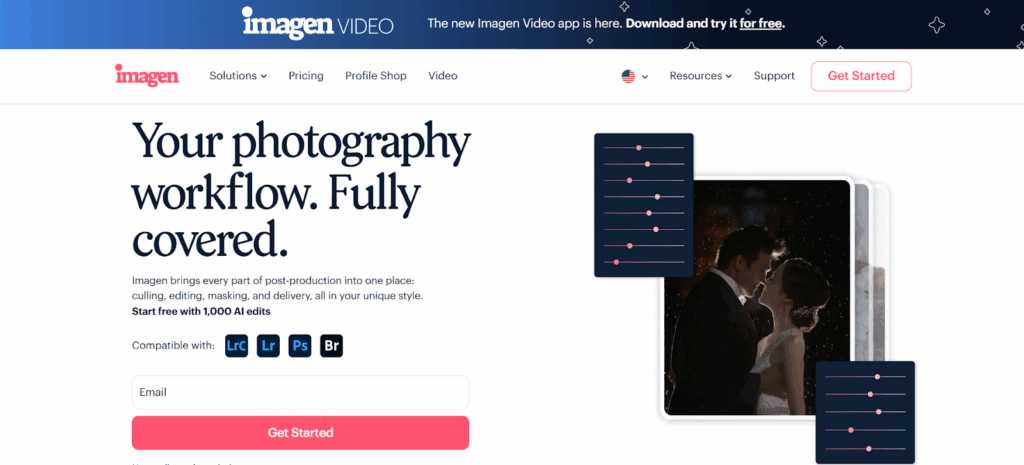
Imagen is a desktop application that uses AI to automate the post-production workflow for professional photographers. It is designed to work seamlessly with Adobe Lightroom Classic, which is the industry standard for photo management.
How It Works
You do not edit in a web browser with Imagen. Instead, you install the app on your computer. You import your photos into your Lightroom catalog as you normally would. Then, you open Imagen and select that catalog. Imagen reads your photos and sends the smart previews (small data files) to the cloud for processing.
The AI applies edits based on a “Personal AI Profile.” This profile learns your specific style—how much contrast you like, how warm you prefer your white balance, and how you handle saturation. If you do not have enough photos to train your own profile, you can use a pre-made “Talent AI Profile” or a “Real Estate” specific profile provided by the platform.
Real Estate Specific Features
Imagen has a dedicated set of tools for this genre.
- HDR Merge: As mentioned, it merges brackets automatically.
- Perspective Correction: It straightens verticals.
- Window Pull: It recovers views through windows.
- Sky Replacement: It replaces dull skies with blue ones (note: this feature is specific to real estate projects in Imagen).
The Workflow Advantage
The biggest strength of Imagen is that it fits into an existing professional workflow. You cull your photos, send them to Imagen, and get the edits back into Lightroom. You can review the edits, tweak them if necessary, and then export your final JPEGs. The “Personal AI Profile” means the consistency improves over time as the AI learns from your tweaks.
Imagen also offers Cloud Storage. This allows you to back up your high-resolution photos securely while you cull and edit. It creates a unified system where your photos are safe, edited, and ready for delivery from one interface.
2. Adobe Lightroom Classic
Adobe Lightroom Classic remains the foundational software for most real estate photographers. While it is primarily a manual editing tool, Adobe has introduced significant AI features in recent years.
Lightroom Classic includes “Generative Remove,” which uses AI to remove unwanted objects like garden hoses or cars from driveways. It also has “Denoise,” which uses AI to remove grain from photos taken in low light, such as basements or evening shots.
Lightroom allows for “Lens Corrections” which can fix some perspective issues automatically based on the lens profile. It handles HDR merging, though the process is done locally on your computer, which can be resource-intensive if you are merging hundreds of photos at once. Lightroom does not learn your style over time; it applies the exact settings you tell it to apply via presets or manual sliders.
3. Luminar Neo
Luminar Neo is a creative image editor that relies heavily on AI technologies. It can be used as a standalone application or as a plugin for other software.
For real estate, Luminar Neo offers a feature called “Sky AI.” This tool automatically detects the sky and replaces it. It also includes “Relight AI,” which can adjust the lighting of a scene based on 3D depth mapping. This can be useful for brightening a dark foreground (like a living room) while keeping the background (like the view outside) balanced.
Luminar Neo also has features for removing power lines and dust spots automatically. It focuses on creative enhancements and solving specific visual problems within an image. It processes images one by one or in batches, depending on how you set up your workflow.
4. Autoenhance.ai
Autoenhance.ai is a web-based platform specifically built for real estate photo editing. Users upload their images to the website, and the system processes them automatically.
This tool focuses on the specific needs of property marketing. It offers automated sky replacement for exterior shots. It also includes perspective correction to fix vertical lines. The platform has a feature specifically for privacy, which can blur license plates or faces that might appear in the photos.
Autoenhance.ai creates a “window pull” effect by balancing the exposure between the indoors and outdoors. Since it is web-based, the workflow involves uploading files to the browser and downloading the finished results. It is designed to be a “upload and done” solution rather than a tool for granular manual editing.
5. Topaz Photo AI
Topaz Photo AI is a desktop software focused on image quality enhancement. It is often used to fix technical issues in photos rather than for stylistic color grading.
For real estate photographers, Topaz Photo AI offers “Sharpening” tools that can fix slight motion blur or soft focus. This is helpful if a tripod was bumped during a long exposure. It also features “Gigapixel” upscaling, which can increase the resolution of a photo without losing quality—useful if you need to print a large banner from a smaller file.
The software includes “Remove” tools for taking out distractions. It processes files locally on your computer. It detects the specific quality issues in a file (noise, blur, low resolution) and applies corrections automatically to resolve them.
6. BoxBrownie
BoxBrownie is a hybrid solution that combines AI technology with human editors. It acts as an on-demand service for real estate marketing.
Users create an account and upload their photos for specific services. BoxBrownie offers “Day to Dusk” editing, where a daytime photo is converted to look like a twilight shot. They also offer “Virtual Staging,” where furniture is added to photos of empty rooms.
While BoxBrownie uses automated systems for some tasks, many of its services rely on a global team of human editors to finalize the images. This allows for complex requests, such as removing specific items or advanced retouching. The turnaround time is typically 24 hours.
7. Aftershoot
Aftershoot is a desktop application that focuses on the “culling” process, though it has expanded into editing. Culling is the process of selecting the best photos from a shoot and rejecting the bad ones.
Aftershoot uses AI to group similar images together. It then analyzes them for focus, closed eyes (less relevant for real estate, but relevant for agent headshots), and exposure. It suggests the best photo from a series.
For editing, Aftershoot applies a profile to the selected images. It integrates with Lightroom catalogs. It runs locally on the user’s hardware, meaning it does not require an internet connection to process the images. It aims to speed up the selection process before the editing begins.
8. Photoroom
Photoroom is an AI photo editing app that is available on mobile and the web. It is primarily known for its background removal capabilities.
In a real estate context, Photoroom can be used for agent headshots or for isolating specific furniture items for design boards. It uses AI to identify the subject of a photo and remove the background instantly. It then allows the user to replace the background with a color or a generated scene.
Photoroom offers “Retouch” features to remove unwanted objects. It is geared more towards quick edits for social media or marketing materials rather than full property listing workflows. It excels at object isolation and clean, studio-style visuals.
9. Restb.ai
Restb.ai is a computer vision company that specializes in analyzing real estate images. Their technology is often used by MLSs (Multiple Listing Services) and large brokerages.
Restb.ai uses AI to “tag” photos automatically. It can identify that a photo is a “kitchen” with “hardwood floors” and “stainless steel appliances.” This helps in organizing large databases of property photos.
While it is less of a pixel-editor like Imagen or Lightroom, it is a crucial tool in the real estate tech stack. It automates the data entry part of photography. It also offers features to detect watermarks or people in photos to ensuring compliance with MLS rules. It focuses on the content of the image.
10. Planomatic
Planomatic is a service provider that handles photography and floor plans for the single-family rental industry. They utilize technology to manage workflows across a large network of photographers.
Their system automates the scheduling and delivery process. While the photographers take the photos, the backend processing utilizes automated workflows to ensure quality control and consistency across thousands of assets.
Planomatic is designed for large-scale operators who need standardized results across many different properties. It is a service-first model supported by technology, rather than a standalone software tool for individual editors.
Deep Dive: How Imagen Transforms the Real Estate Workflow
Now that we have surveyed the landscape, let’s look closely at how a comprehensive tool like Imagen functions in a real “day-in-the-life” scenario for a photographer.
The workflow begins with the shoot. In 2026, efficient photographers shoot in “brackets.” This means for every angle, they take 3 to 5 photos: one dark, one medium, one bright. This captures all the light information in the room.
Step 1: Culling with Efficiency
Once you are back at your computer, you import these thousands of photos into Lightroom Classic. This is where the fatigue usually sets in. But with Imagen, you can use the integrated AI Culling features.
Imagen analyzes the brackets. It groups them together automatically. It looks for blurry shots or misfires and flags them. This dramatically speeds up the selection process. You are not looking at 5,000 photos; you are looking at the best 10% that matter.
Step 2: The Editing Phase
This is where Imagen shines for real estate. You create a project in the Imagen app and select your “Real Estate” profile.
Imagen’s AI then goes to work on the brackets.
- HDR Processing: It takes those 3 or 5 exposures and merges them into a single, balanced image.
- Color Correction: It adjusts the white balance. Real estate often has “color casts”—orange light from lamps mixing with blue light from windows. Imagen neutralizes these to make the walls look white and clean.
- Geometry: It applies the Perspective Correction to ensure the walls are straight.
This happens in the cloud, freeing up your computer. You can go make a coffee or answer emails while Imagen processes the job.
Step 3: Review and Delivery
When the edits are done, you download them back into Lightroom. The edits appear as if you had done them yourself. You can see the sliders moved.
If a specific window is still a bit blown out, you can adjust the “Window Pull” mask that Imagen created. If the sky isn’t perfect, you can toggle the Sky Replacement.
Finally, you can use Imagen to deliver the photos. The platform connects with gallery services like Pic-Time, or you can export straight to your hard drive.
The Importance of Consistency in 2026
Why is all this automation necessary? It comes down to brand trust.
Real estate agents build their personal brands on quality. When they hire a photographer, they are buying consistency. They need to know that their $500,000 listing will look just as professional as their $5,000,000 listing.
Manual editing is prone to human error. We get tired. Our eyes adjust. A photo we edit at 9 AM might look different than one we edit at 9 PM.
Imagen eliminates this variable. A Personal AI Profile does not get tired. It does not have “off” days. It applies the same rigorous mathematical analysis to every single pixel. This ensures that your portfolio looks cohesive. When you deliver consistent quality, agents trust you more. When they trust you more, they hire you more.
Cost Analysis: AI vs. Manual Outsourcing
In the past, photographers would send their photos to overseas editing teams. This often cost $0.50 to $1.00 per image. For a 30-image shoot, that is $15 to $30. It adds up. Plus, the turnaround time was usually 12-24 hours.
AI tools like Imagen change the math. The cost per edit is significantly lower, often pennies per image. The turnaround time is measured in minutes, not hours.
For a business shooting 20 homes a month, switching from manual outsourcing to an AI workflow can save thousands of dollars a year. It also gives you control. You are not waiting for an email the next morning; you have the files ready on your computer before you even go to sleep.
Future Trends: What’s Next?
As we move through 2026, we can expect AI to become even more “context-aware.” Tools will likely get better at understanding the style of a home. They might edit a moody, historic cabin differently than a bright, modern penthouse, automatically adjusting the vibe to match the architecture.
We will also see tighter integration between shooting and editing. Cameras might start communicating metadata to software like Imagen to tell it exactly what the lighting conditions were, helping the AI make even smarter decisions.
Conclusion
The tools available to real estate photographers in 2026 are powerful. They remove the technical barriers that used to make high-end photography difficult and time-consuming.
While there are many options on the market, Imagen stands out for its deep integration into the professional workflow. It does not try to replace the photographer; it empowers them. By handling the heavy lifting of HDR merging, perspective correction, and color grading, Imagen allows you to focus on composition, client relationships, and growing your business.
The shift to AI is not about cutting corners. It is about raising the standard. It allows us to deliver better work, faster, and with greater consistency than ever before. If you are ready to reclaim your time, it is time to embrace these tools.
13 Questions and Answers About Real Estate AI Photo Editing
1. Is Imagen a web-based editor? No, Imagen is a desktop app. It works with Lightroom Classic, Lightroom, Photoshop, and Bridge. It is a desktop app that does its processing in the cloud.
2. Does AI editing remove the need for a photographer? No. AI cannot choose the composition, stage the room, or interact with the client. It handles the post-production tasks, allowing the photographer to focus on shooting.
3. What is the difference between a Personal AI Profile and a Talent AI Profile in Imagen? A Personal AI Profile learns your unique editing style from your past edits (requires 2,000+ edited photos). A Talent AI Profile is a pre-made profile created by industry-leading photographers that you can use immediately.
4. Can Imagen handle HDR photos for real estate? Yes. Imagen has a specific HDR Merge tool that blends bracketed exposures (different brightness levels) into a single, balanced image.
5. Is Sky Replacement available for all photography types in Imagen? No. In Imagen, Sky Replacement is currently only available for real estate projects.
6. Do I need to be connected to the internet to use Imagen? Yes. Since Imagen processes the edits in the cloud to ensure speed and quality, you need an internet connection to upload the smart previews and download the edit data.
7. How much time can AI editing save a real estate photographer? Tools like Imagen can reduce editing time by up to 96%. Instead of hours of manual tweaking, the process takes minutes.
8. Can I adjust the edits after the AI is finished? Yes. Because Imagen integrates with Lightroom Classic, all the edits come back as adjustable sliders. You have full creative control to tweak the final result.
9. What is “Window Pull” in real estate photography? It is a technique to clarify the view through a window that might otherwise be blown out (too bright). Imagen’s Window Pull tool automates this by masking the window pane and balancing the exposure.
10. Does Imagen store my photos? Imagen offers Cloud Storage that allows you to back up your high-resolution photos securely while you cull and edit. This is an optional feature for subscribers.
11. Can I use Imagen if I don’t use Lightroom Classic? Imagen supports Lightroom Classic, Lightroom (CC), Photoshop, and Bridge. However, some specific workflows and features are optimized for the Lightroom Classic catalog structure.
12. What happens if I shoot with flash (flambient)? AI tools are getting better at handling flash, but Imagen’s current strengths lie heavily in HDR blending and natural light optimization. You can still use it for color correction on flash layers, but the blending might require a different workflow.
13. Is it expensive to use AI for real estate editing? Compared to manual outsourcing or the value of your own time, AI is very cost-effective. Imagen charges per edit, meaning you only pay for the work you do, with additional costs for advanced tools like HDR or cropping.