Sortiere Tausende von Fotos in Minuten. Wählt die besten Aufnahmen aus – und verkürzt die Aussortierzeit um bis zu 75 %.
Meet the AI photo editor for engagement photographers.
Edit full weddings and engagement portraits overnight. We apply your style across 1,000 photos in minutes so you deliver galleries by 9 AM.
Compatible with:
- No credit card required.





Every edit your listings need, handled automatically
Bildauswahl-Studio
Reviews from those who know best.
Der Begriff „Game Changer“ wird oft verwendet, aber für jeden vielbeschäftigten Fotografen wird diese Software dein Leben verändern.

Michael Antony
Michael Antony Photography, USA
Mein Überleben verdanke ich Imagen… Ich war ERSTAUNT, wie wenig ich anpassen musste.

Charmi Patel Peña
Hochzeitsfotograf, USA
Imagen zu entdecken war, als hätte jemand Toilettenpapier erfunden. Einfach unverzichtbar, und jetzt ist das Leben ohne es undenkbar. Ich weiß jetzt, dass die jahrelangen Bearbeitungsrückstände der Vergangenheit angehören. Ich bin wirklich dankbar.

Sarah Edmunds
Porträt- & Hochzeitsfotograf, Italien
Vergiss deine Zweifel und nutze einen modernen und effizienten Workflow, der durch KI ermöglicht wird. Imagen schafft einen beeindruckend einheitlichen Ausgangspunkt für deine gesamte Bildersammlung, sodass du sofort mit den differenzierteren Aspekten deiner Bearbeitungen beginnen kannst.

Sam Hurd
Sam hurd photography, USA
Wahnsinn, Imagen hat mir bei meinem Bearbeitungsprozess so sehr geholfen. Viva Imagen!

Fer Juaristi
Fer juaristi photography, Mexiko
Dank Imagen kann ich das Bearbeiten tatsächlich genießen… Ich habe Hunderte von Stunden zurückgewonnen.

Daniel Alonso
People TrueLove tellers, Spanien
Imagen cuts editing time by up to 96%
Stop spending countless hours on repetitive editing tasks.
Focus on what matters most: your creativity and your clients.
96% Faster editing
Cut your post-production time dramatically with AI-powered automation.
Instant color correction
Apply consistent edits across hundreds of photos in seconds, not hours.
Automated culling
Let AI identify and remove blurry shots, duplicates, and closed eyes automatically.
Batch processing
Edit entire events shoots or portrait sessions while you focus on your next creative work.
Deliver by morning
Edit a full wedding overnight
Imagen processes 1,000 images in minutes. With our AI photo editor for engagement photographers, you’ll wake up to a finished gallery, review the edits, and deliver sneak peeks by morning.

Consistent galleries
Match your second shooters
You hire second shooters to cover more events. Imagen applies your Personal AI Profile to all 5,000 frames, so you’ll deliver a perfectly unified gallery no matter who clicked the shutter.
Imagen’s AI Editing and Retouching Tools
Die KI erkennt Motive und Komposition, um deine Fotos automatisch zuzuschneiden und auszurichten. Überprüfe und passe jedes Ergebnis an.
...Kombiniere automatisch 3–9 Belichtungsreihen zu einem perfekt ausgewogenen Foto mit einem KI-HDR-Foto-Merge-Tool, das Innen- und Außenbeleuchtung in einer Aufnahme verarbeitet.
...Smooth Skin erkennt Haut in jedem Foto und verbessert die Töne automatisch, sodass jedes Porträt ohne manuelle Retusche perfekt aussieht.
...Die Objektentfernung erkennt und entfernt automatisch Notausgangsschilder, Feuermelder, Feuerlöscher und Brandschutzaufkleber aus deinen Fotos – über deine gesamte Galerie hinweg,...
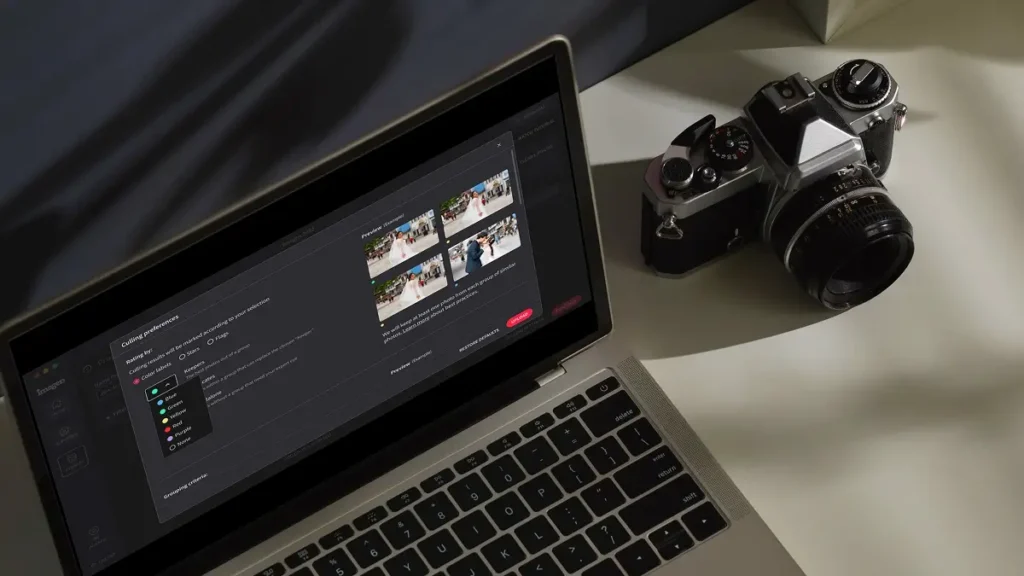
Bearbeite tausende von Fotos automatisch in deinem Stil. Die KI von Imagen lernt deine Vorlieben bei der Bearbeitung und wendet...
„Zähne aufhellen“ erkennt und hellt Zähne in jedem Foto automatisch auf, sodass jedes Lächeln ohne manuelle Retusche optimal aussieht.
...Korrigiere verzerrte Linien und schiefe Horizonte automatisch mit einem KI-Tool zur Bildperspektivkorrektur, das jedes Foto analysiert, während du die volle...
Schneide automatisch Hunderte von Portraitfotos auf einen einheitlichen Rahmen zu – mit einem KI-Portrait-Zuschneidewerkzeug, das jedes Motiv erkennt und perfekt...
Schneide Headshots automatisch zu – mit einem KI-Foto-Zuschneider für Headshots, der jedes Motiv erkennt und jede Aufnahme konsistent einrahmt, mit...
Maskiere automatisch den Hintergrund in jedem Foto und passe Belichtung, Farbe und Textur unabhängig voneinander an – mit voller Kontrolle,...
Entferne Körnung und Rauschen automatisch aus deinen Fotos mit einem KI-gestützten Tool, das Details, Texturen und deinen natürlichen Bearbeitungsstil bewahrt.
...Extrahiere Motive aus jedem Foto automatisch – mit einem KI-gestützten Hintergrundentferner, der Kanten sauber hält, Details scharf und jedes Ergebnis...
Bringe helle Fenster mit Motiven im Innenbereich in Einklang – mit einem KI-gestützten Tool, das überbelichtete Bereiche erkennt und Highlights...
Exportiere finale JPEGs direkt aus Imagen in Pic-Time-Galerien oder deinen lokalen Ordner. Schließe deinen gesamten Workflow von der Kamera bis...
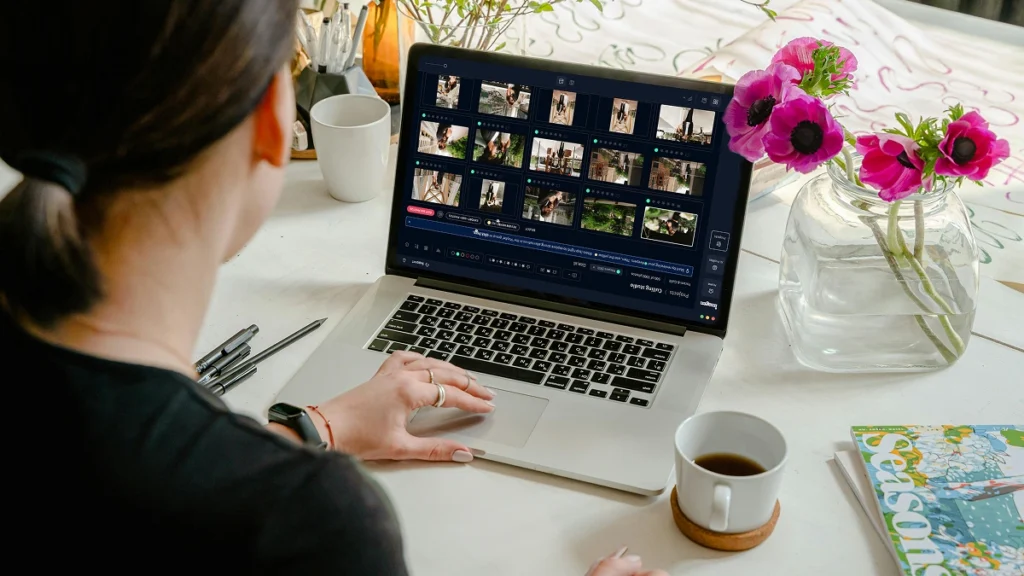
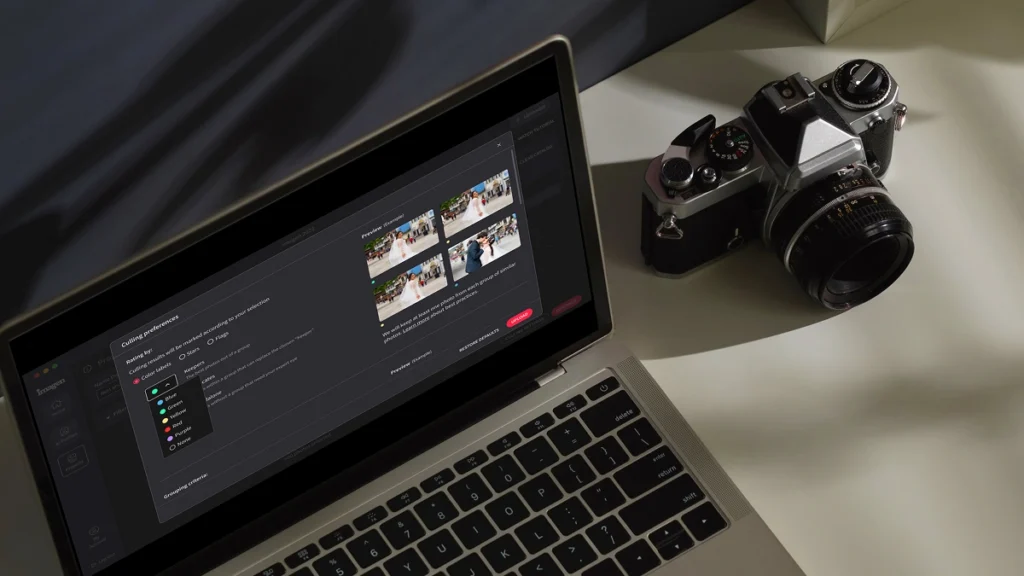
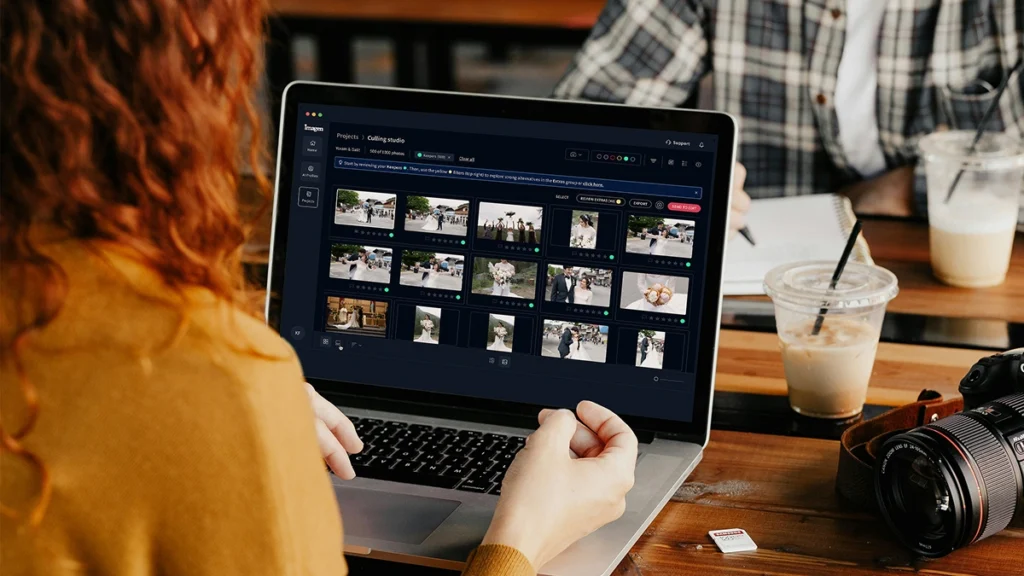
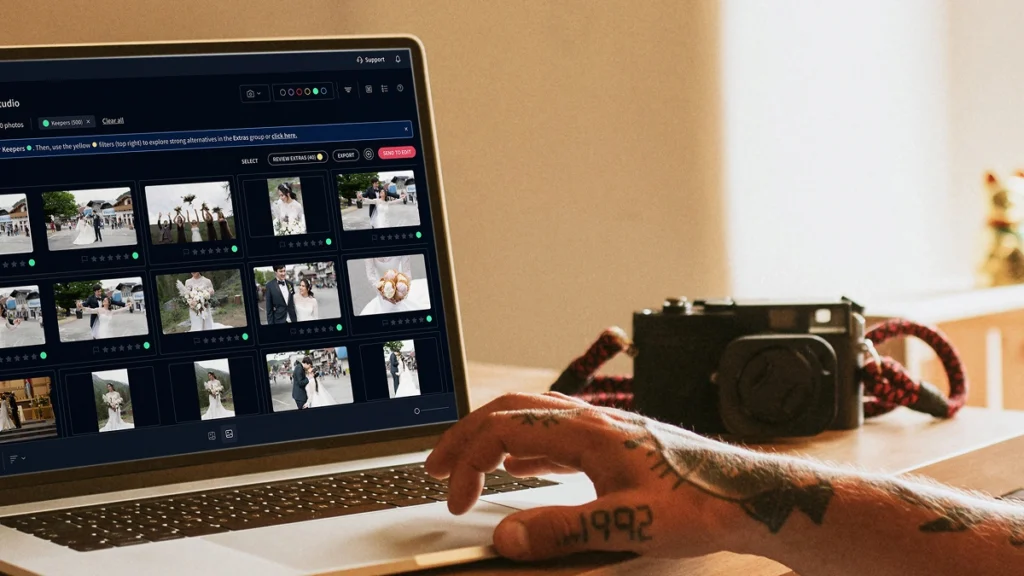
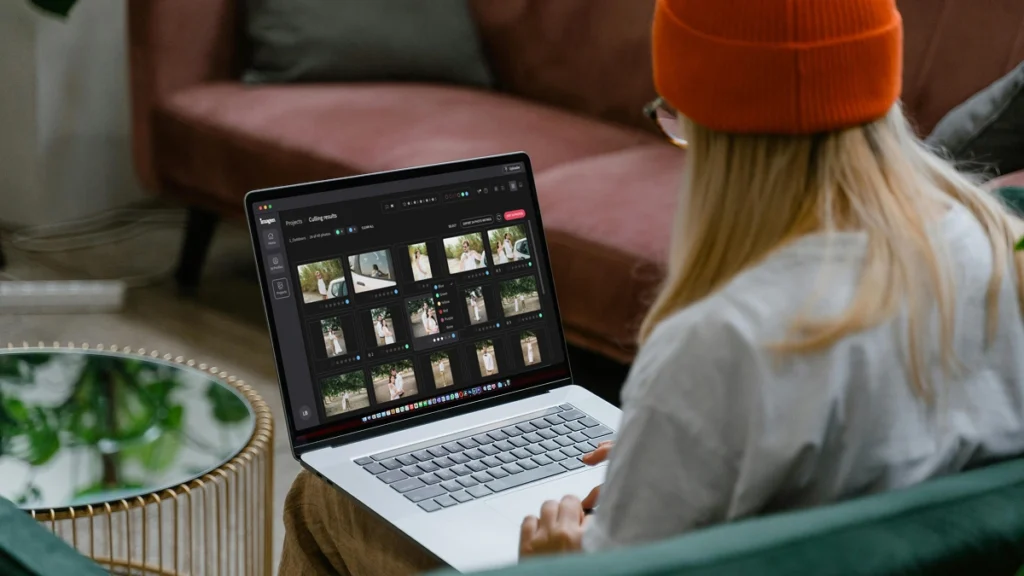
Die KI-Bildauswahl von Imagen gruppiert ähnliche Aufnahmen und behält nur die besten. Die Entfernung von Duplikaten erfolgt automatisch, sodass du...
Imagens KI analysiert jedes Gesicht auf deinen Fotos und erkennt geschlossene Augen automatisch. Die Blinzelerkennung markiert das Problem, damit du...
Die KI-Motivmaskierung von Imagen erkennt das Hauptmotiv in jedem Foto und wendet gezielte Bearbeitungen an, damit es richtig zur Geltung...
Erkenne automatisch die schärfsten Fotos in jedem Set mit einem KI-gestützten Schärfe-Check, der die Fokusgenauigkeit analysiert – damit du deine...
Sichere deine Original-RAW-Dateien automatisch in einem sicheren Cloud-Speicher, während du arbeitest — so sind die Fotos deiner Kunden immer geschützt,...
Speichere Fotos in voller Auflösung mit bis zu 75 % kleinerer Dateigröße – so reicht dein Fotospeicher 4-mal länger, Uploads...
Die Imagen API ermöglicht es Entwicklern, die KI-Bearbeitungs-Engine von Imagen direkt mit jeder App, Plattform oder jedem Workflow zu verbinden...
Scalable plans to enhance your workflow
Get started with 1,000 free edits. Edit your projects faster without sacrificing quality.
Pay-as-you-go
Bezahle nur, was du brauchst
Ab
/ Foto
/monatliche Grundgebühr
Wird als Bearbeitungs-Credit übertragen
- Monatliche Abrechnung basierend auf der Nutzung
- Jederzeit kündbar
- Komposition, Maskierung und mehr mit KI-Tools. Preis pro Foto.
Unbegrenzt
Ein einfacher Preis für unbegrenzte Nutzung
Jährliche Abrechnung
179 $
/ Monat
Jährlich
Spare /Jahr
- Für Fotografen, die ihre eigenen Aufnahmen machen
- Alle Bearbeitungs-, Retusche- und KI-Tools enthalten
- KI-Auswahl inklusive
Nicht sicher, welcher Plan? Starte mit Pay-as-you-go und wechsle später.
Für Unternehmen
Geschwindigkeit, Konsistenz und Skalierbarkeit für Unternehmen und Studios mit hohem Volumen
Kontaktiere uns
Benutzerdefinierter Plan
- Vergünstigte Bearbeitungsrate
- Automatisierter API-Workflow
- Zugriff von mehreren Computern
- Persönlicher Success Manager
- Priorisierter 24/7 Support
Early Bird Discount
Only pay for photos you edit
No contracts, cancel anytime.
30 % Rabatt auf den ersten Monat
Pay-as-you-go
Keine Verpflichtung, zahle nur für das, was du brauchst.
/ Foto
Erster Monat 30 % Rabatt, danach /Foto. Wird an der Kasse abgezogen. Jederzeit kündbar.
Was du bekommst
- Vollständige KI-Bearbeitungssuite
- KI-Korrekturen mit einem Klick
- 3 menschliche Überarbeitungen pro Listing
- Ausgabe in bis zu 6K-Auflösung
- RAW- und JPEG-Support
- Datenschutz-Unschärfe, Grundstücksgrenzen, gebrandetes Wasserzeichen
* Preise in USD. Die Abrechnung erfolgt am Ende jedes Monats für die in diesem Monat bearbeiteten Fotos.
Für Teams
Für Teams, die mehr als 25.000 Fotos/Jahr verarbeiten
Benutzerdefiniert
Volumenpreise für Teams und Agenturen mit hohem Output.
Was du bekommst
Alles aus dem Pay-as-you-go-Plan plus:
- Mengenrabatte
- Persönlicher Account Manager
- Priorisierte Verarbeitung
* Zugeschnitten auf deinen Workflow. Nenne uns dein Volumen und wir Erstellen ein Angebot.
Expert Support for Photographers 24/7
Ask us anything, connect with our customer success team.
We go beyond troubleshooting – we’re your partners in optimizing workflows and realizing your creative vision.
- No credit card required.
96%
Faster editing time
90%
Saving on editing costs
24h
Typical turnaround
Frequently asked questions
What is wedding photographers editing like when using an AI tool?
Wedding photographers editing changes completely when you let AI handle the heavy lifting. You get your life back while keeping full creative control over your final images. Instead of spending 40 hours adjusting white balance and exposure for a single event, you review and tweak a fully edited gallery in just 2 hours. Imagen learns your specific style from your past catalogs and applies it consistently across every lighting situation. When the bride gets ready in a dark hotel room, the AI knows how you handle shadows. When the ceremony moves outdoors into harsh sunlight, the AI adjusts perfectly. Even the reception photos with tricky DJ lights get accurate color correction. You act as the creative director. You review the edits, make small tweaks, and deliver the gallery faster than ever. As an AI Photo Editor for Engagement Photographers and wedding professionals, the software adapts to your unique eye. You save up to 96% of your editing time, which lets you focus on booking more clients or actually taking a weekend off. You stay in the driver seat the entire time.
How does batch editing work for a full wedding gallery?
You upload your entire Lightroom catalog and get thousands of edited photos back in minutes. Batch editing with Imagen means you stop editing image by image. You send us your RAW files from the entire wedding day, and the AI applies your Personal AI Profile to every single photo. It analyzes the specific lighting and composition of each frame before making adjustments. The software handles the bright midday ceremony just as well as the dark, indoor reception. It treats every photo individually while maintaining a consistent look across the entire gallery. If you photograph a bride in front of a bright window, the AI adjusts the exposure for her face automatically. You get back a catalog where 90% of the work is already done. You just scroll through, verify the crops, and apply your final artistic touches. This cuts your turnaround time from weeks down to days. You deliver beautiful galleries to your clients faster, which leads to better reviews and more referrals. You spend less time staring at a screen and more time growing your business.
Is this different from applying standard presets in Lightroom?
Yes, AI editing adjusts every single slider dynamically based on the specific content of each photo. A standard preset applies the exact same settings to every image regardless of the lighting conditions. If you apply a normal preset to a sunny outdoor ceremony and a dark indoor reception, you still have to manually fix the exposure and white balance for hundreds of photos. Our AI analyzes the photo first. It sees the bride in her white dress and understands how to protect those highlights. It recognizes the skin tones of your subjects and keeps them natural. It acts like a human editor making specific decisions for every frame. The AI learns your specific editing style by analyzing 3,000 of your previously edited photos. It creates a Personal AI Profile that mimics your exact moves. This means you don't have to buy the next generation of presets just to get a consistent look. You get a custom tool built entirely around your unique vision for every single wedding you shoot.
Does the AI work with RAW files from different camera brands?
The AI reads and processes RAW files from all major camera manufacturers smoothly. You can shoot with Sony, Canon, Nikon, or Fujifilm without worrying about color shifts. Many photographers use 2 different camera bodies during a busy wedding day. You might use 1 brand for the fast-paced ceremony and another for the low-light reception. Imagen takes care of both flawlessly and matches the colors perfectly across the entire gallery. The AI looks at the underlying data in the RAW file to make its adjustments. It understands how different sensors capture light and color. When you photograph the bride getting ready, the AI applies your style accurately regardless of the camera you used. As a reliable AI Photo Editor for Engagement Photographers, it provides consistent results across all your gear. You stop wasting hours trying to match the greens from your Sony to the skin tones from your Canon. The software does the matching for you, which frees you up to focus on the creative side of your photography business.
How do I train the AI to edit like me?
You train your Personal AI Profile by uploading your past edited Lightroom catalogs. The system needs at least 3,000 photos to understand your specific style. You select catalogs that represent your best work across different lighting conditions. You want to include photos from a bright outdoor ceremony, a dimly lit reception, and everything in between. The AI analyzes how you handled the white balance on the dress the bride wore. It learns how you push the shadows, pull the highlights, and adjust the color grading. Once the analysis finishes, you get a custom profile that edits exactly like you do. If your style changes over time, you can update your profile with new catalogs. The AI constantly learns and adapts to your current preferences. You never lose your unique artistic voice. You simply automate the repetitive parts of your wedding photography workflow. You keep full control over the final product while letting the computer handle the tedious slider adjustments.
Can I review and change the edits before sending back them to my clients?
You always retain 100% control over your final gallery and can change any edit. The AI acts as your assistant, not your replacement. When Imagen finishes processing your wedding gallery, you download the edits back into your Lightroom catalog. You see all the slider adjustments right there in your develop module. You can tweak the exposure on a shot from the ceremony or adjust the white balance from the reception. If the AI makes the skin tones of the bride slightly too warm, you just pull the temperature slider back. The best part is that the AI learns from these final tweaks. You upload your final adjustments back to the system, and your AI Profile gets smarter for the next shoot. You deliver a gallery that meets your exact standards every single time. You save 40 hours of manual labor per event, but you still put your personal stamp on every image.
What happens if the lighting changes drastically during an event?
The AI evaluates the lighting in every individual photo and makes custom adjustments for that specific scene. It doesn't blindly apply 1 look to the entire day. A typical wedding throws every possible lighting scenario at you. You start with natural window light for the bride getting ready, move to harsh midday sun for the ceremony, and end with crazy flash setups at the reception. Imagen understands these shifts. It adjusts the white balance and exposure dynamically to match your style in each unique environment. If you underexpose a shot to save the sky, the AI knows how much to lift the shadows based on your past edits. It takes care of mixed lighting situations with incredible accuracy. You get a consistent final gallery without spending days fixing the tricky shots manually. You trust the software to handle the technical heavy lifting, which gives you more mental energy to focus on capturing authentic moments.
Does this software cull the photos for me too?
Yes, you can use our culling feature to pick your best images before you even start editing. Culling a massive wedding gallery often takes just as long as the editing itself. You come home with 6,000 photos and have to narrow them down to 800. Our AI groups duplicate shots and selects the best 1 based on focus, expression, and composition. It automatically flags the photos where the bride blinks or where someone walks in front of the camera during the ceremony. You review the AI selections and make the final call on what to keep. Once you have your final selection, you send those photos straight to editing with your AI Profile. You handle the entire post-production process in 1 place. This cuts your total workflow time in half. You move from the chaotic reception to a fully culled and edited gallery in a fraction of the time it used to take.
How does this affect my turnaround time for clients?
You'll deliver finished galleries to your clients in days instead of weeks or months. Fast turnaround times lead to thrilled clients, better reviews, and more word-of-mouth bookings. When you shoot a wedding on Saturday, you can cull and edit the entire event by Tuesday. You upload the catalog to Imagen, go grab a cup of coffee, and come back to a fully edited gallery. You spend a couple of hours reviewing the ceremony and reception photos, making minor tweaks to the bride and groom portraits. As an AI Photo Editor for Engagement Photographers, it speeds up your smaller shoots just as effectively. You send sneak peeks the very next morning without staying up until 3 AM. You get your life back during the busy fall season. You stop feeling overwhelmed by your backlog and start feeling excited about your business again.
What if I do not have enough past photos to build a custom profile?
You can use our pre-trained AI Profiles created by industry-leading photographers while you build your own catalog. We offer a wide variety of styles ranging from dark and moody to light and airy. You simply choose a profile that closely matches your aesthetic and apply it to your wedding gallery. These profiles handle the tricky lighting of a dark reception or a bright outdoor ceremony beautifully. You still get the benefit of dynamic, photo-specific adjustments without needing 3,000 past edits. As you shoot more events and tweak the edits on the bride and groom portraits, you save those final catalogs. Once you hit the required number of photos, you can build your own Personal AI Profile. You get immediate time-saving benefits today while setting yourself up for a fully customized workflow tomorrow. You cut your editing time by 96% from day 1, which helps you scale your business faster.
Save hours on your next project
Start your free trial today – no commitment required
