Triez des milliers de photos en quelques minutes. Sélectionne les meilleurs clichés – réduisant le temps de tri jusqu’à 75 %.
Meet the AI photo editor for engagement photographers.
Edit full weddings and engagement portraits overnight. We apply your style across 1,000 photos in minutes so you deliver galleries by 9 AM.
Compatible with:
- No credit card required.





Every edit your listings need, handled automatically
Studio de tri
Reviews from those who know best.
Le terme « révolutionnaire » est souvent utilisé, mais pour tout photographe débordé, ce logiciel va transformer votre vie.

Michael Antony
Michael Antony photography, USA
Ma survie est due à Imagen… Je mÉMERVEILLAIS de la faible quantité dajustements que javais à faire.

Charmi Patel Peña
Photographe de Mariage, États-Unis
Découvrir Imagen, c’est comme si quelqu’un avait inventé le papier toilette. Tout simplement essentiel, et maintenant la vie est impensable sans lui. Je sais maintenant que ces années d’arriérés de retouche appartiennent au passé. J’en suis vraiment reconnaissant.

Sarah edmunds
Photographe de Portrait et de Mariage, Italie
Laissez vos doutes de côté et adoptez un flux de travail moderne et efficace optimisé par l’IA. Imagen crée un point de départ remarquablement cohérent pour l’ensemble de votre collection d’images, ce qui vous permet de commencer immédiatement les aspects plus nuancés de vos retouches

Sam Hurd
Sam hurd photography, États-Unis
Bon sang, Imagen m’a tellement aidé dans mon processus d’édition. Vive Imagen !

Fer Juaristi
Fer juaristi photography, Mexique
Grâce à Imagen, je peux réellement apprécier lédition… Jai récupéré des centaines dheures.

Daniel Alonso
Personnes TrueLove Tellers, Espagne
Imagen cuts editing time by up to 96%
Stop spending countless hours on repetitive editing tasks.
Focus on what matters most: your creativity and your clients.
96% Faster editing
Cut your post-production time dramatically with AI-powered automation.
Instant color correction
Apply consistent edits across hundreds of photos in seconds, not hours.
Automated culling
Let AI identify and remove blurry shots, duplicates, and closed eyes automatically.
Batch processing
Edit entire events shoots or portrait sessions while you focus on your next creative work.
Deliver by morning
Edit a full wedding overnight
Imagen processes 1,000 images in minutes. With our AI photo editor for engagement photographers, you’ll wake up to a finished gallery, review the edits, and deliver sneak peeks by morning.
Consistent galleries
Match your second shooters
You hire second shooters to cover more events. Imagen applies your Personal AI Profile to all 5,000 frames, so you’ll deliver a perfectly unified gallery no matter who clicked the shutter.
Imagen’s AI Editing and Retouching Tools
L’IA détecte les sujets et la composition pour recadrer et redresser vos photos automatiquement. Examinez et ajustez chaque résultat.
...Combinez automatiquement 3 à 9 expositions en bracketing en une seule photo parfaitement équilibrée grâce à un outil de fusion...
Smooth Skin détecte la peau dans chaque photo et améliore les teintes automatiquement, pour que chaque portrait soit impeccable sans...
La suppression d’objets détecte et supprime automatiquement les panneaux de sortie, les alarmes incendie, les extincteurs et les autocollants d’incendie...
Retouchez automatiquement des milliers de photos dans votre style. L’IA d’Imagen apprend vos préférences d’édition photo et les applique de...
L’outil Blanchir les dents détecte et éclaircit automatiquement les dents dans chaque photo, pour que chaque sourire soit à son...
Corrigez automatiquement les lignes déformées et les horizons inclinés à l’aide d’un outil de correction de perspective d’image par IA...
Recadrez automatiquement des centaines de photos de portrait selon un cadre cohérent grâce à un outil de recadrage de portrait...
Recadrez automatiquement les portraits avec un recadrage de photos de portrait par IA qui détecte chaque sujet et cadre chaque...
Masquez automatiquement l’arrière-plan dans chaque photo et ajustez l’exposition, la couleur et la texture indépendamment — avec un contrôle total...
Supprimez automatiquement le grain et le bruit de vos photos à l’aide d’un outil optimisé par l’IA qui préserve les...
Extrayez automatiquement les sujets de n’importe quelle photo grâce à un outil de suppression d’arrière-plan par IA qui préserve la...
Équilibrez les fenêtres lumineuses avec les sujets en intérieur grâce à un outil optimisé par l’IA qui détecte les zones...
Exportez les JPEGs finaux directement d’Imagen vers les galeries Pic-Time ou votre dossier local. Réalisez l’intégralité de votre flux de...
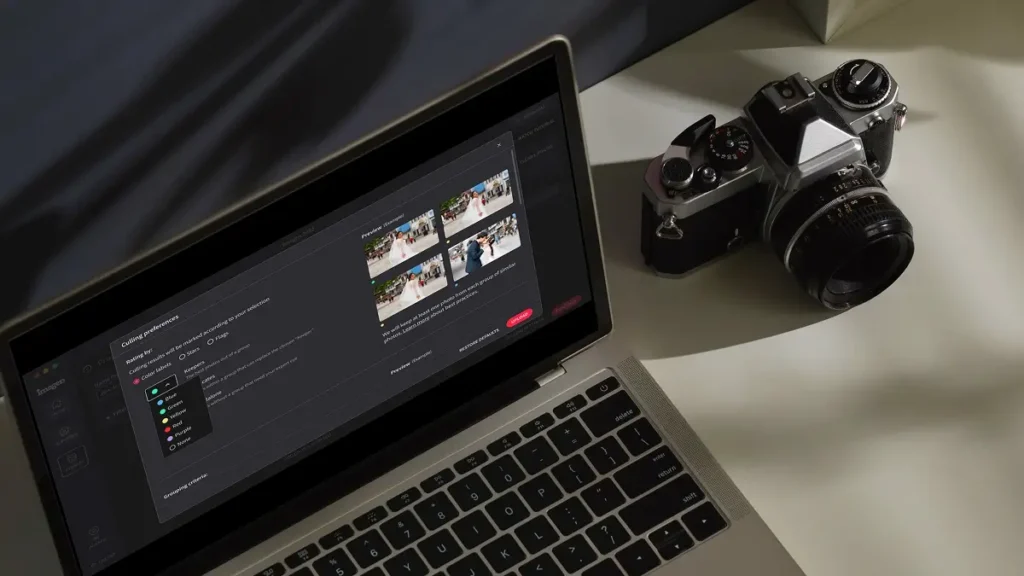
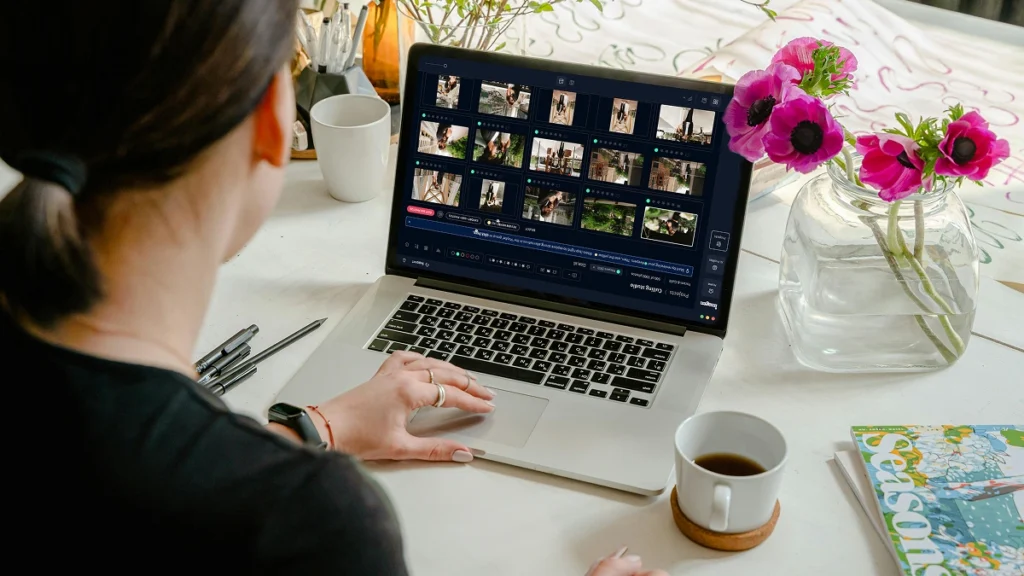
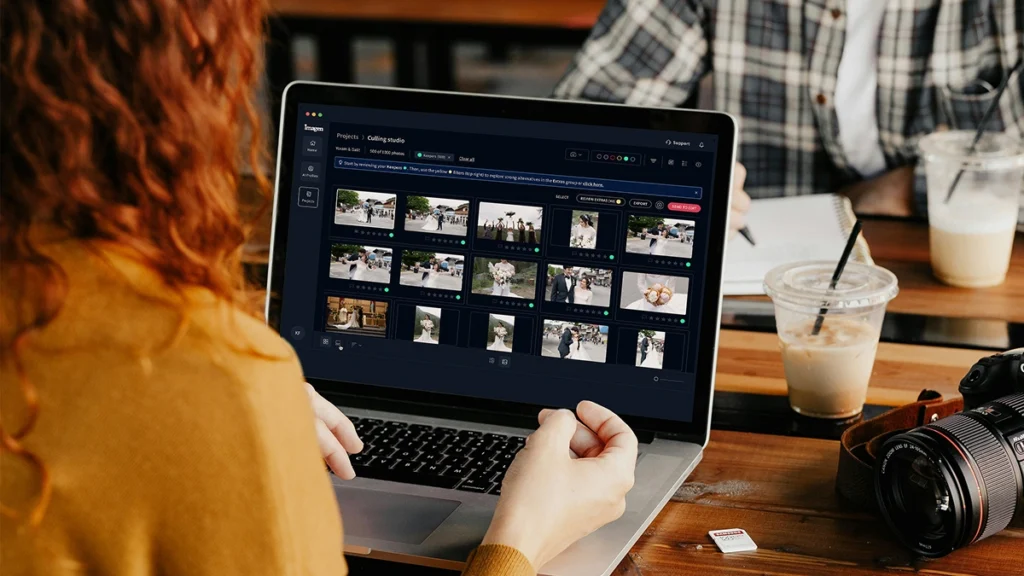
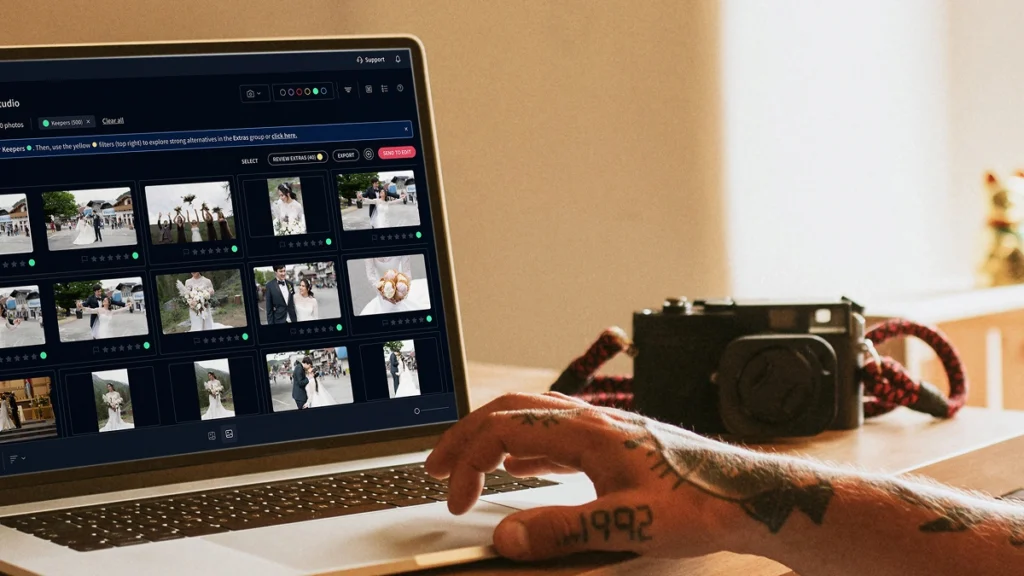
Le tri par IA d’Imagen regroupe les prises similaires et ne conserve que les meilleures. La suppression des doublons se...
L’IA d’Imagen analyse chaque visage dans vos photos et détecte automatiquement les yeux fermés. La Détection des clignements d’yeux marque...
Le Masquage du sujet par IA d’Imagen détecte le sujet principal dans chaque photo et applique des retouches ciblées pour...
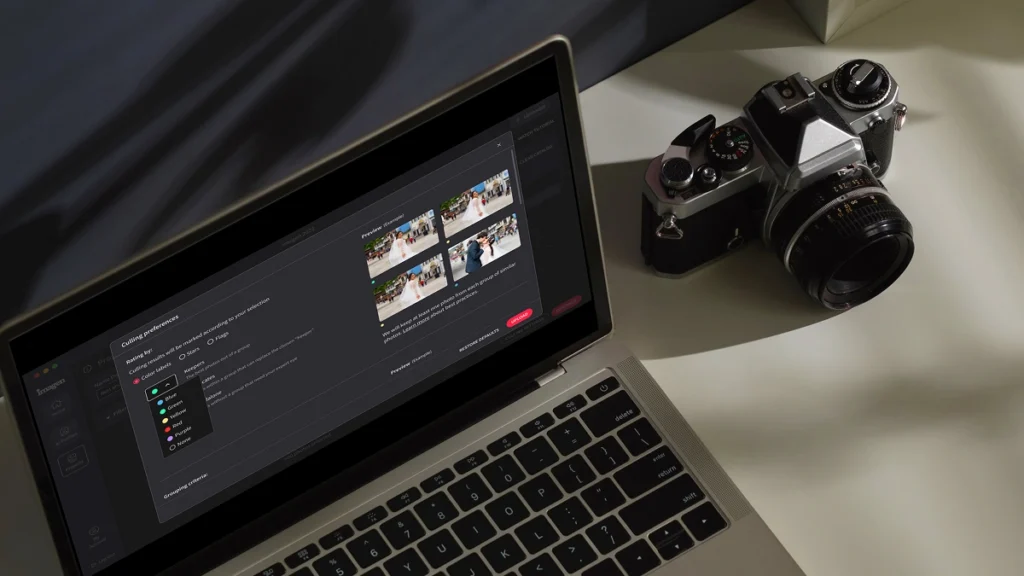
Détectez automatiquement les photos les plus nettes de chaque série grâce à une vérification de netteté alimentée par l’IA qui...
Sauvegardez automatiquement vos fichiers RAW Original dans un stockage cloud sécurisé au fur et à mesure de votre travail —...
Stockez des photos en pleine résolution avec une taille de fichier jusqu’à 75 % inférieure — pour que votre stockage...
L’API Imagen permet aux développeurs de connecter le moteur d’édition IA d’Imagen directement à n’importe quelle application, plateforme ou flux...
Scalable plans to enhance your workflow
Get started with 1,000 free edits. Edit your projects faster without sacrificing quality.
Paiement à l'utilisation
Payez uniquement ce dont vous avez besoin
À partir de
/ photo
/frais de base mensuels
Reporté sous forme de crédits de retouche
- Facturation mensuelle basée sur l'utilisation
- Annuler à tout moment
- Composition, masquage et plus encore avec les outils d’IA. Facturation par photo.
Illimité
Un prix simple pour une utilisation illimitée
Facturé annuellement
179 $ US
/ mois
Annuel
Économisez /an
- Pour les photographes qui réalisent leurs propres prises de vue
- Tous les outils d’édition, de retouche et d’IA sont inclus
- Tri IA inclus
Vous ne savez pas quel forfait choisir ? Commencez avec le paiement à l’usage et changez plus tard.
Pour les entreprises
Vitesse, cohérence et montée en charge pour les entreprises à fort volume et les studios
Nous contacter
Abonnement personnalisé
- Tarif d'édition réduit
- Flux de travail automatisé par API
- Accès multi-ordinateurs
- Gestionnaire de succès dédié
- Support prioritaire 24/7
Early Bird Discount
Only pay for photos you edit
No contracts, cancel anytime.
30 % de réduction le premier mois
Paiement à l'utilisation
Sans engagement, payez uniquement ce dont vous avez besoin.
/ photo
Premier mois à 30 % de réduction, puis /photo. Appliqué au moment du paiement. Annulez à tout moment.
Ce que vous obtenez
- Suite complète de retouche IA
- Corrections IA en un clic
- 3 révisions humaines par annonce
- Sortie jusqu’à une résolution 6K
- Support RAW et JPEG
- Floutage de confidentialité, limites de propriété, filigrane de marque
* Prix en USD. Facturé à la fin de chaque mois pour les photos retouchées de ce mois.
Pour les équipes
Pour les équipes traitant plus de 25 000 photos/an
Personnalisé
Tarifs dégressifs pour les équipes et les agences à forte production.
Ce que vous obtenez
Tout ce qui est inclus dans l’Abonnement Paiement à l’usage, plus :
- Réductions sur volume
- Gestionnaire de compte dédié
- Traitement prioritaire
* Adapté à votre flux de travail. Indiquez-nous votre volume et nous construirons un devis.
Expert Support for Photographers 24/7
Ask us anything, connect with our customer success team.
We go beyond troubleshooting – we’re your partners in optimizing workflows and realizing your creative vision.
- No credit card required.
96%
Faster editing time
90%
Saving on editing costs
24h
Typical turnaround
Frequently asked questions
What is wedding photographers editing like when using an AI tool?
Wedding photographers editing changes completely when you let AI handle the heavy lifting. You get your life back while keeping full creative control over your final images. Instead of spending 40 hours adjusting white balance and exposure for a single event, you review and tweak a fully edited gallery in just 2 hours. Imagen learns your specific style from your past catalogs and applies it consistently across every lighting situation. When the bride gets ready in a dark hotel room, the AI knows how you handle shadows. When the ceremony moves outdoors into harsh sunlight, the AI adjusts perfectly. Even the reception photos with tricky DJ lights get accurate color correction. You act as the creative director. You review the edits, make small tweaks, and deliver the gallery faster than ever. As an AI Photo Editor for Engagement Photographers and wedding professionals, the software adapts to your unique eye. You save up to 96% of your editing time, which lets you focus on booking more clients or actually taking a weekend off. You stay in the driver seat the entire time.
How does batch editing work for a full wedding gallery?
You upload your entire Lightroom catalog and get thousands of edited photos back in minutes. Batch editing with Imagen means you stop editing image by image. You send us your RAW files from the entire wedding day, and the AI applies your Personal AI Profile to every single photo. It analyzes the specific lighting and composition of each frame before making adjustments. The software handles the bright midday ceremony just as well as the dark, indoor reception. It treats every photo individually while maintaining a consistent look across the entire gallery. If you photograph a bride in front of a bright window, the AI adjusts the exposure for her face automatically. You get back a catalog where 90% of the work is already done. You just scroll through, verify the crops, and apply your final artistic touches. This cuts your turnaround time from weeks down to days. You deliver beautiful galleries to your clients faster, which leads to better reviews and more referrals. You spend less time staring at a screen and more time growing your business.
Is this different from applying standard presets in Lightroom?
Yes, AI editing adjusts every single slider dynamically based on the specific content of each photo. A standard preset applies the exact same settings to every image regardless of the lighting conditions. If you apply a normal preset to a sunny outdoor ceremony and a dark indoor reception, you still have to manually fix the exposure and white balance for hundreds of photos. Our AI analyzes the photo first. It sees the bride in her white dress and understands how to protect those highlights. It recognizes the skin tones of your subjects and keeps them natural. It acts like a human editor making specific decisions for every frame. The AI learns your specific editing style by analyzing 3,000 of your previously edited photos. It creates a Personal AI Profile that mimics your exact moves. This means you don't have to buy the next generation of presets just to get a consistent look. You get a custom tool built entirely around your unique vision for every single wedding you shoot.
Does the AI work with RAW files from different camera brands?
The AI reads and processes RAW files from all major camera manufacturers smoothly. You can shoot with Sony, Canon, Nikon, or Fujifilm without worrying about color shifts. Many photographers use 2 different camera bodies during a busy wedding day. You might use 1 brand for the fast-paced ceremony and another for the low-light reception. Imagen takes care of both flawlessly and matches the colors perfectly across the entire gallery. The AI looks at the underlying data in the RAW file to make its adjustments. It understands how different sensors capture light and color. When you photograph the bride getting ready, the AI applies your style accurately regardless of the camera you used. As a reliable AI Photo Editor for Engagement Photographers, it provides consistent results across all your gear. You stop wasting hours trying to match the greens from your Sony to the skin tones from your Canon. The software does the matching for you, which frees you up to focus on the creative side of your photography business.
How do I train the AI to edit like me?
You train your Personal AI Profile by uploading your past edited Lightroom catalogs. The system needs at least 3,000 photos to understand your specific style. You select catalogs that represent your best work across different lighting conditions. You want to include photos from a bright outdoor ceremony, a dimly lit reception, and everything in between. The AI analyzes how you handled the white balance on the dress the bride wore. It learns how you push the shadows, pull the highlights, and adjust the color grading. Once the analysis finishes, you get a custom profile that edits exactly like you do. If your style changes over time, you can update your profile with new catalogs. The AI constantly learns and adapts to your current preferences. You never lose your unique artistic voice. You simply automate the repetitive parts of your wedding photography workflow. You keep full control over the final product while letting the computer handle the tedious slider adjustments.
Can I review and change the edits before sending back them to my clients?
You always retain 100% control over your final gallery and can change any edit. The AI acts as your assistant, not your replacement. When Imagen finishes processing your wedding gallery, you download the edits back into your Lightroom catalog. You see all the slider adjustments right there in your develop module. You can tweak the exposure on a shot from the ceremony or adjust the white balance from the reception. If the AI makes the skin tones of the bride slightly too warm, you just pull the temperature slider back. The best part is that the AI learns from these final tweaks. You upload your final adjustments back to the system, and your AI Profile gets smarter for the next shoot. You deliver a gallery that meets your exact standards every single time. You save 40 hours of manual labor per event, but you still put your personal stamp on every image.
What happens if the lighting changes drastically during an event?
The AI evaluates the lighting in every individual photo and makes custom adjustments for that specific scene. It doesn't blindly apply 1 look to the entire day. A typical wedding throws every possible lighting scenario at you. You start with natural window light for the bride getting ready, move to harsh midday sun for the ceremony, and end with crazy flash setups at the reception. Imagen understands these shifts. It adjusts the white balance and exposure dynamically to match your style in each unique environment. If you underexpose a shot to save the sky, the AI knows how much to lift the shadows based on your past edits. It takes care of mixed lighting situations with incredible accuracy. You get a consistent final gallery without spending days fixing the tricky shots manually. You trust the software to handle the technical heavy lifting, which gives you more mental energy to focus on capturing authentic moments.
Does this software cull the photos for me too?
Yes, you can use our culling feature to pick your best images before you even start editing. Culling a massive wedding gallery often takes just as long as the editing itself. You come home with 6,000 photos and have to narrow them down to 800. Our AI groups duplicate shots and selects the best 1 based on focus, expression, and composition. It automatically flags the photos where the bride blinks or where someone walks in front of the camera during the ceremony. You review the AI selections and make the final call on what to keep. Once you have your final selection, you send those photos straight to editing with your AI Profile. You handle the entire post-production process in 1 place. This cuts your total workflow time in half. You move from the chaotic reception to a fully culled and edited gallery in a fraction of the time it used to take.
How does this affect my turnaround time for clients?
You'll deliver finished galleries to your clients in days instead of weeks or months. Fast turnaround times lead to thrilled clients, better reviews, and more word-of-mouth bookings. When you shoot a wedding on Saturday, you can cull and edit the entire event by Tuesday. You upload the catalog to Imagen, go grab a cup of coffee, and come back to a fully edited gallery. You spend a couple of hours reviewing the ceremony and reception photos, making minor tweaks to the bride and groom portraits. As an AI Photo Editor for Engagement Photographers, it speeds up your smaller shoots just as effectively. You send sneak peeks the very next morning without staying up until 3 AM. You get your life back during the busy fall season. You stop feeling overwhelmed by your backlog and start feeling excited about your business again.
What if I do not have enough past photos to build a custom profile?
You can use our pre-trained AI Profiles created by industry-leading photographers while you build your own catalog. We offer a wide variety of styles ranging from dark and moody to light and airy. You simply choose a profile that closely matches your aesthetic and apply it to your wedding gallery. These profiles handle the tricky lighting of a dark reception or a bright outdoor ceremony beautifully. You still get the benefit of dynamic, photo-specific adjustments without needing 3,000 past edits. As you shoot more events and tweak the edits on the bride and groom portraits, you save those final catalogs. Once you hit the required number of photos, you can build your own Personal AI Profile. You get immediate time-saving benefits today while setting yourself up for a fully customized workflow tomorrow. You cut your editing time by 96% from day 1, which helps you scale your business faster.
Save hours on your next project
Start your free trial today – no commitment required
