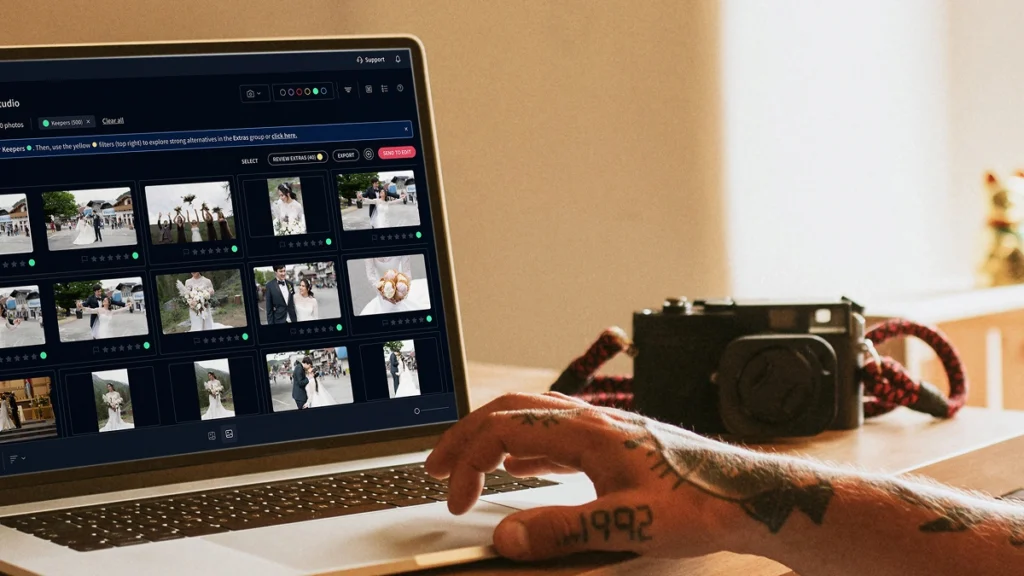
何千枚もの写真を数分で選別。最高のショットを選び出すことで、選別時間を最大75%削減します。
Meet the AI photo editor for engagement photographers.
Edit full weddings and engagement portraits overnight. We apply your style across 1,000 photos in minutes so you deliver galleries by 9 AM.
Compatible with:
- No credit card required.





Every edit your listings need, handled automatically
カリングスタジオ
Reviews from those who know best.
「ゲームチェンジャー」という言葉は頻繁に使われますが、多忙な写真家の方々にとって、このソフトウェアは人生を変えるものとなるでしょう。

Michael Antony
マイケル・アントニー・フォトグラフィー、米国
私の生き残りはImagenのおかげです…調整の少なさに驚嘆するばかりでした。

チャーミー・パテル・ペーニャ
結婚式写真家、アメリカ合衆国
Imagenを見つけたのは、まるで誰かがトイレットペーパーを発明したかのようです。今や不可欠なもので、これなしの生活は考えられません。長年の編集の遅れは過去のものになったと実感しています。本当に感謝しています。

サラ・エドマンズ
イタリアのポートレート・結婚式の写真家
疑念を払拭し、AIが実現するモダンで効率的なワークフローを取り入れましょう。Imagenは、お客様の全画像コレクションにおいて驚くほど一貫性のある出発点を作り出すため、すぐに編集のより繊細な側面に集中することができます。

サム・ハード
サム・ハード・フォトグラフィー、米国
Imagenは私の編集プロセスを大幅に改善してくれました。Imagen万歳!

Fer juaristi
Fer juaristi photography、メキシコ
Imagenのおかげで、実際に編集を楽しめるようになりました…何百時間も取り戻すことができました。

Daniel Alonso
人物 TrueLove tellers、スペイン
Imagen cuts editing time by up to 96%
Stop spending countless hours on repetitive editing tasks.
Focus on what matters most: your creativity and your clients.
96% Faster editing
Cut your post-production time dramatically with AI-powered automation.
Instant color correction
Apply consistent edits across hundreds of photos in seconds, not hours.
Automated culling
Let AI identify and remove blurry shots, duplicates, and closed eyes automatically.
Batch processing
Edit entire events shoots or portrait sessions while you focus on your next creative work.
Deliver by morning
Edit a full wedding overnight
Imagen processes 1,000 images in minutes. With our AI photo editor for engagement photographers, you’ll wake up to a finished gallery, review the edits, and deliver sneak peeks by morning.
Consistent galleries
Match your second shooters
You hire second shooters to cover more events. Imagen applies your Personal AI Profile to all 5,000 frames, so you’ll deliver a perfectly unified gallery no matter who clicked the shutter.
Imagen’s AI Editing and Retouching Tools
AIが被写体と構図を検出し、写真を自動的にトリミングと角度補正します。すべての結果をレビューして調整できます。
...屋内外のライティングを一度に処理するAI HDR写真合成ツールを使用して、3〜9枚のブラケット露光を完璧にバランスの取れた1枚の写真に自動で統合します。
...Smooth Skin は各写真の肌を検出し、トーンを自動的に改善するため、手動でレタッチすることなく、すべてのポートレートを洗練された仕上がりにします。
...オブジェクト削除は、写真から非常口の標識、火災報知器、消火器、火災ステッカーを自動的に検出して削除します。Photoshopを使わずに、クラウド上でギャラリー全体に対して実行されます。
...
数千枚の写真をあなたのスタイルで自動的に編集します。ImagenのAIはあなたの編集の好みを学習し、プロジェクト全体に一貫して適用するため、クリエイティブな感性を損なうことなく、より迅速な納品が可能になります。
...「歯をホワイトニング」は各写真の歯を自動で検出して明るく補正するため、手動レタッチなしで、どの笑顔も最高の印象に仕上がります。
...各写真を解析するAI画像パース補正ツールで、歪んだラインや傾いた水平線を自動修正し、すべての結果をレビューして調整できる完全なコントロールを提供します。
...各被写体を検出して完璧に配置するAIポートレートトリミングツールを使用して、何百枚ものポートレート写真を一貫したフレームに自動でトリミングします。すべての顔が、あるべき場所に正確に収まります。
...すべての被写体を検出し、各ショットを一貫してフレーミングするAIヘッドショット写真トリミングツールでヘッドショットを自動的にトリミングし、すべての結果をレビューおよび調整できる完全なコントロールを提供します。
...すべての写真の背景を自動でマスクし、露出、カラー、テクスチャを個別に調整できます。ライトルーム Classicで、すべての結果をレビューして仕上げまで完全にコントロールできます。
...AI搭載ツールを使用して、ディテール、質感、自然な編集スタイルを保持しながら、写真から粒子とノイズを自動的に除去します。
...AI搭載背景除去ツールを使用して、エッジをクリーンに保ち、ディテールをシャープに保ち、すべての結果をレビュー可能な状態で、あらゆる写真から被写体を自動的に抽出します。
...露出オーバーの領域を検出してハイライトを抑えるAIツールで、明るい窓と室内の被写体のバランスを調整。すべての結果をレビューし、調整できる完全なコントロールを提供します。
...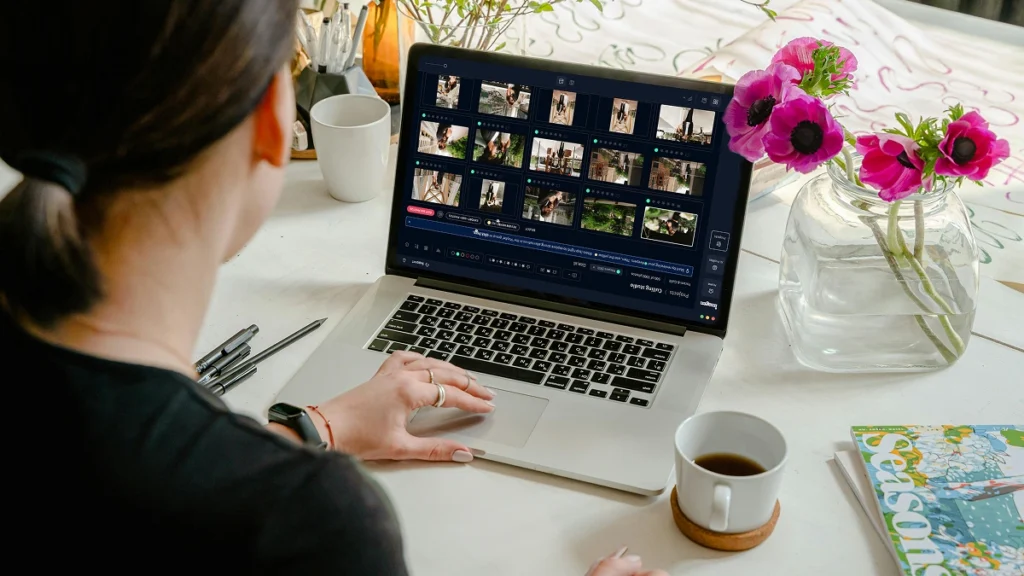
最終JPEGをImagenから直接Pic-Timeギャラリーまたはローカルフォルダにエクスポートできます。カメラからクライアントまでの全ワークフローを、アプリケーションを切り替えることなく完結できます。
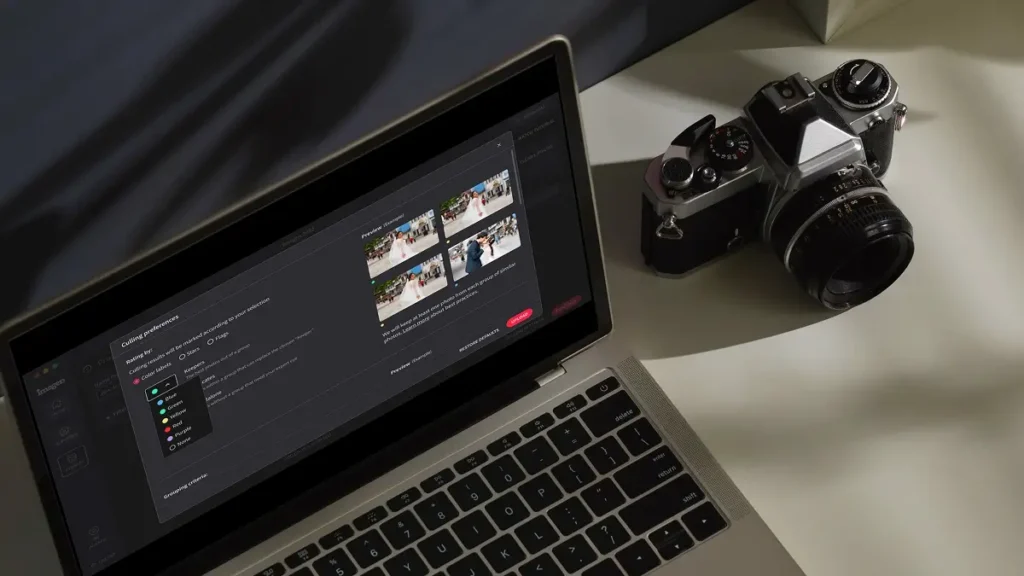
...ImagenのAIカリングは類似ショットをグループ化し、ベストな写真だけを残します。重複削除は自動で行われるため、レビューする写真が減り、より迅速に納品できます。
...
ImagenのAIは写真内のすべての顔を分析し、閉じている目を自動的に検出します。まばたき検知が問題をフラグで示すため、全員が最高の表情をしているショットだけを残すことができます。
...ImagenのAI件名マスクは、すべての写真で主な被写体を検出し、狙いを定めた編集を適用して際立たせます。手動のブラシ作業も、繰り返しのマスク作業も不要。プロジェクト全体で一貫した結果を得られます。
...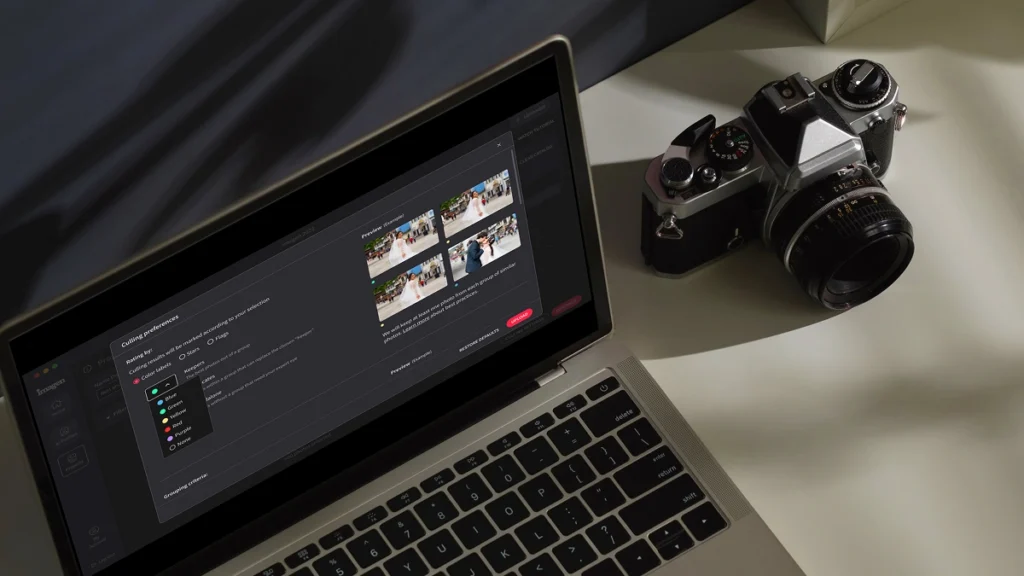
フォーカス精度を分析するAI搭載シャープネスチェックを使用して、すべてのセットで最もシャープな写真を自動的に検出します。より速くカリングし、自信を持って選択できます。
...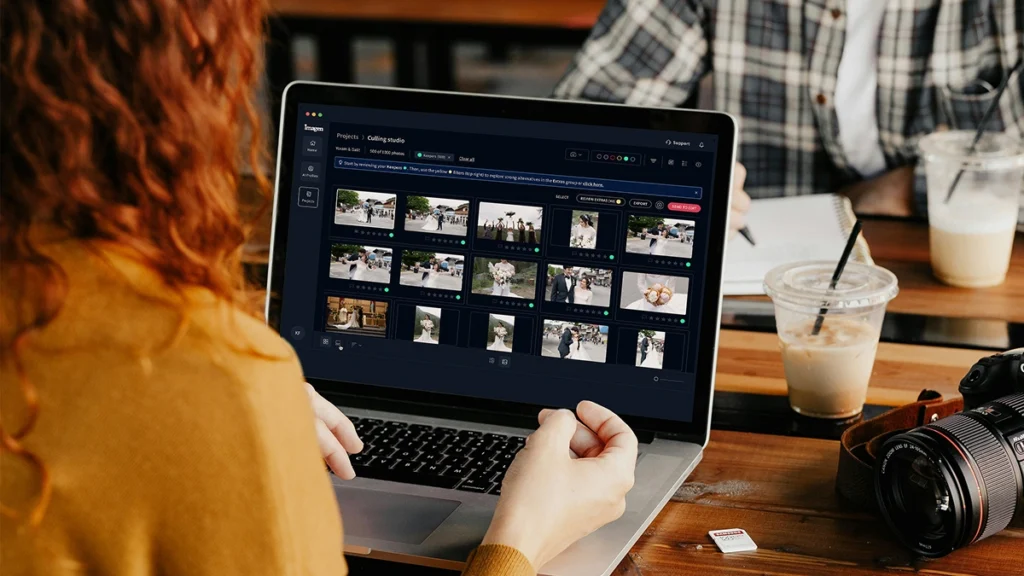
作業中にオリジナルのRAWファイルを安全なクラウドストレージに自動的にバックアップします。追加の手順なしで、クライアントの写真を常に保護できます。
...
フル解像度の写真を最大75%小さいファイルサイズで保存できます。写真ストレージを4倍活用でき、アップロードも高速化。RAWファイルの肥大化によるコストを抑えつつ、作品を保護します。
...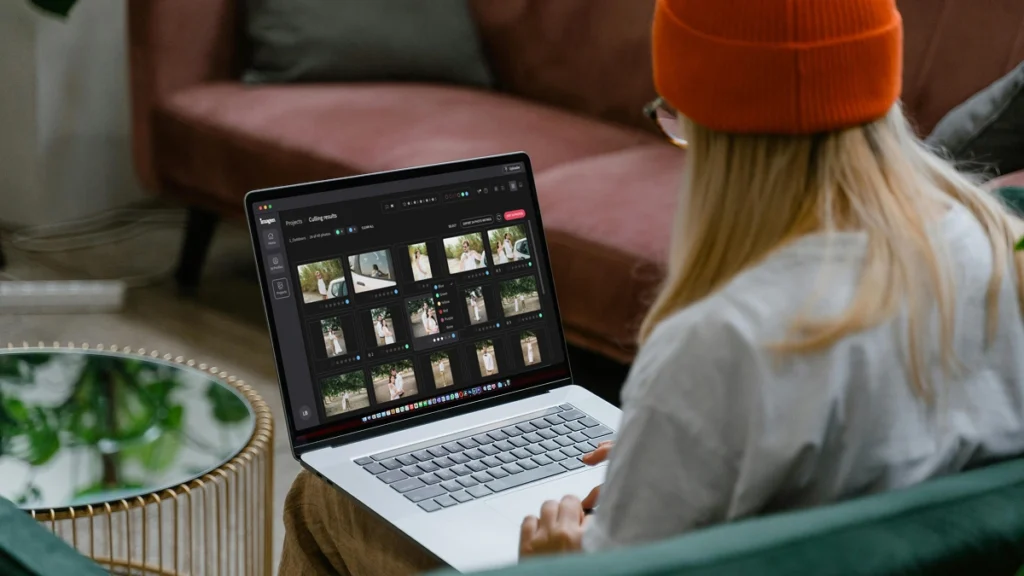
Imagen APIを使用すると、開発者はImagenのAI編集エンジンを任意のアプリケーション、プラットフォーム、またはワークフローに直接接続できます。これにより、デスクトップアプリケーションなしで、写真をあらゆる規模 […]
...Scalable plans to enhance your workflow
Get started with 1,000 free edits. Edit your projects faster without sacrificing quality.
どのプランか迷っている場合は、従量課金制から始めて後で切り替えることができます。
ビジネス向け
大量撮影を行うビジネスやスタジオのためのスピード、一貫性、拡張性
Early Bird Discount
Only pay for photos you edit
No contracts, cancel anytime.
初月30%オフ
従量課金
契約期間の縛りなし、必要な分だけお支払い。
/写真
初月30%オフ、その後は1枚あたり。チェックアウト時に適用されます。いつでもキャンセル可能です。
含まれる内容
- フルAI編集スイート
- ワンクリックAI修正
- 1物件につき3回までの人間による修正
- 最大6K解像度の出力
- RAWおよびJPEGサポート
- プライバシーぼかし、敷地境界線、ブランドウォーターマーク
* 価格は米ドル表記です。その月に編集された写真の料金を、毎月末に請求いたします。
チーム向け
年間25,000枚以上の写真を処理するチーム向け
カスタム
チームや大量の処理を行うエージェンシー向けのボリューム価格設定。
含まれる内容
従量課金プランのすべての機能に加えて:
- ボリュームディスカウント
- 専任のアカウントマネージャー
- 優先処理
* お客様のワークフローに合わせてカスタマイズします。処理量をお知らせいただければ、お見積もりをビルドいたします。
Expert Support for Photographers 24/7
Ask us anything, connect with our customer success team.
We go beyond troubleshooting – we’re your partners in optimizing workflows and realizing your creative vision.
- No credit card required.
96%
Faster editing time
90%
Saving on editing costs
24h
Typical turnaround
Frequently asked questions
What is wedding photographers editing like when using an AI tool?
Wedding photographers editing changes completely when you let AI handle the heavy lifting. You get your life back while keeping full creative control over your final images. Instead of spending 40 hours adjusting white balance and exposure for a single event, you review and tweak a fully edited gallery in just 2 hours. Imagen learns your specific style from your past catalogs and applies it consistently across every lighting situation. When the bride gets ready in a dark hotel room, the AI knows how you handle shadows. When the ceremony moves outdoors into harsh sunlight, the AI adjusts perfectly. Even the reception photos with tricky DJ lights get accurate color correction. You act as the creative director. You review the edits, make small tweaks, and deliver the gallery faster than ever. As an AI Photo Editor for Engagement Photographers and wedding professionals, the software adapts to your unique eye. You save up to 96% of your editing time, which lets you focus on booking more clients or actually taking a weekend off. You stay in the driver seat the entire time.
How does batch editing work for a full wedding gallery?
You upload your entire Lightroom catalog and get thousands of edited photos back in minutes. Batch editing with Imagen means you stop editing image by image. You send us your RAW files from the entire wedding day, and the AI applies your Personal AI Profile to every single photo. It analyzes the specific lighting and composition of each frame before making adjustments. The software handles the bright midday ceremony just as well as the dark, indoor reception. It treats every photo individually while maintaining a consistent look across the entire gallery. If you photograph a bride in front of a bright window, the AI adjusts the exposure for her face automatically. You get back a catalog where 90% of the work is already done. You just scroll through, verify the crops, and apply your final artistic touches. This cuts your turnaround time from weeks down to days. You deliver beautiful galleries to your clients faster, which leads to better reviews and more referrals. You spend less time staring at a screen and more time growing your business.
Is this different from applying standard presets in Lightroom?
Yes, AI editing adjusts every single slider dynamically based on the specific content of each photo. A standard preset applies the exact same settings to every image regardless of the lighting conditions. If you apply a normal preset to a sunny outdoor ceremony and a dark indoor reception, you still have to manually fix the exposure and white balance for hundreds of photos. Our AI analyzes the photo first. It sees the bride in her white dress and understands how to protect those highlights. It recognizes the skin tones of your subjects and keeps them natural. It acts like a human editor making specific decisions for every frame. The AI learns your specific editing style by analyzing 3,000 of your previously edited photos. It creates a Personal AI Profile that mimics your exact moves. This means you don't have to buy the next generation of presets just to get a consistent look. You get a custom tool built entirely around your unique vision for every single wedding you shoot.
Does the AI work with RAW files from different camera brands?
The AI reads and processes RAW files from all major camera manufacturers smoothly. You can shoot with Sony, Canon, Nikon, or Fujifilm without worrying about color shifts. Many photographers use 2 different camera bodies during a busy wedding day. You might use 1 brand for the fast-paced ceremony and another for the low-light reception. Imagen takes care of both flawlessly and matches the colors perfectly across the entire gallery. The AI looks at the underlying data in the RAW file to make its adjustments. It understands how different sensors capture light and color. When you photograph the bride getting ready, the AI applies your style accurately regardless of the camera you used. As a reliable AI Photo Editor for Engagement Photographers, it provides consistent results across all your gear. You stop wasting hours trying to match the greens from your Sony to the skin tones from your Canon. The software does the matching for you, which frees you up to focus on the creative side of your photography business.
How do I train the AI to edit like me?
You train your Personal AI Profile by uploading your past edited Lightroom catalogs. The system needs at least 3,000 photos to understand your specific style. You select catalogs that represent your best work across different lighting conditions. You want to include photos from a bright outdoor ceremony, a dimly lit reception, and everything in between. The AI analyzes how you handled the white balance on the dress the bride wore. It learns how you push the shadows, pull the highlights, and adjust the color grading. Once the analysis finishes, you get a custom profile that edits exactly like you do. If your style changes over time, you can update your profile with new catalogs. The AI constantly learns and adapts to your current preferences. You never lose your unique artistic voice. You simply automate the repetitive parts of your wedding photography workflow. You keep full control over the final product while letting the computer handle the tedious slider adjustments.
Can I review and change the edits before sending back them to my clients?
You always retain 100% control over your final gallery and can change any edit. The AI acts as your assistant, not your replacement. When Imagen finishes processing your wedding gallery, you download the edits back into your Lightroom catalog. You see all the slider adjustments right there in your develop module. You can tweak the exposure on a shot from the ceremony or adjust the white balance from the reception. If the AI makes the skin tones of the bride slightly too warm, you just pull the temperature slider back. The best part is that the AI learns from these final tweaks. You upload your final adjustments back to the system, and your AI Profile gets smarter for the next shoot. You deliver a gallery that meets your exact standards every single time. You save 40 hours of manual labor per event, but you still put your personal stamp on every image.
What happens if the lighting changes drastically during an event?
The AI evaluates the lighting in every individual photo and makes custom adjustments for that specific scene. It doesn't blindly apply 1 look to the entire day. A typical wedding throws every possible lighting scenario at you. You start with natural window light for the bride getting ready, move to harsh midday sun for the ceremony, and end with crazy flash setups at the reception. Imagen understands these shifts. It adjusts the white balance and exposure dynamically to match your style in each unique environment. If you underexpose a shot to save the sky, the AI knows how much to lift the shadows based on your past edits. It takes care of mixed lighting situations with incredible accuracy. You get a consistent final gallery without spending days fixing the tricky shots manually. You trust the software to handle the technical heavy lifting, which gives you more mental energy to focus on capturing authentic moments.
Does this software cull the photos for me too?
Yes, you can use our culling feature to pick your best images before you even start editing. Culling a massive wedding gallery often takes just as long as the editing itself. You come home with 6,000 photos and have to narrow them down to 800. Our AI groups duplicate shots and selects the best 1 based on focus, expression, and composition. It automatically flags the photos where the bride blinks or where someone walks in front of the camera during the ceremony. You review the AI selections and make the final call on what to keep. Once you have your final selection, you send those photos straight to editing with your AI Profile. You handle the entire post-production process in 1 place. This cuts your total workflow time in half. You move from the chaotic reception to a fully culled and edited gallery in a fraction of the time it used to take.
How does this affect my turnaround time for clients?
You'll deliver finished galleries to your clients in days instead of weeks or months. Fast turnaround times lead to thrilled clients, better reviews, and more word-of-mouth bookings. When you shoot a wedding on Saturday, you can cull and edit the entire event by Tuesday. You upload the catalog to Imagen, go grab a cup of coffee, and come back to a fully edited gallery. You spend a couple of hours reviewing the ceremony and reception photos, making minor tweaks to the bride and groom portraits. As an AI Photo Editor for Engagement Photographers, it speeds up your smaller shoots just as effectively. You send sneak peeks the very next morning without staying up until 3 AM. You get your life back during the busy fall season. You stop feeling overwhelmed by your backlog and start feeling excited about your business again.
What if I do not have enough past photos to build a custom profile?
You can use our pre-trained AI Profiles created by industry-leading photographers while you build your own catalog. We offer a wide variety of styles ranging from dark and moody to light and airy. You simply choose a profile that closely matches your aesthetic and apply it to your wedding gallery. These profiles handle the tricky lighting of a dark reception or a bright outdoor ceremony beautifully. You still get the benefit of dynamic, photo-specific adjustments without needing 3,000 past edits. As you shoot more events and tweak the edits on the bride and groom portraits, you save those final catalogs. Once you hit the required number of photos, you can build your own Personal AI Profile. You get immediate time-saving benefits today while setting yourself up for a fully customized workflow tomorrow. You cut your editing time by 96% from day 1, which helps you scale your business faster.
Save hours on your next project
Start your free trial today – no commitment required
